All guides
User guide
Accept donations
Collect donations for a cause with suggested amounts and Stripe payments.
Full guide (1:20)
Step-by-step guide
Follow these steps, then download the PDF to keep.
- 1
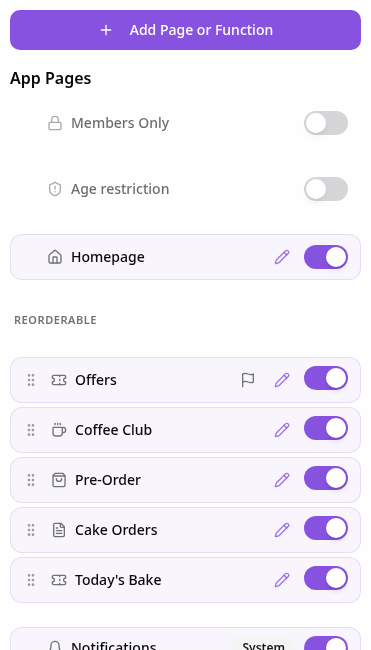
Open Pages
In your app editor, open Pages and tap Add Page or Function.
- 2
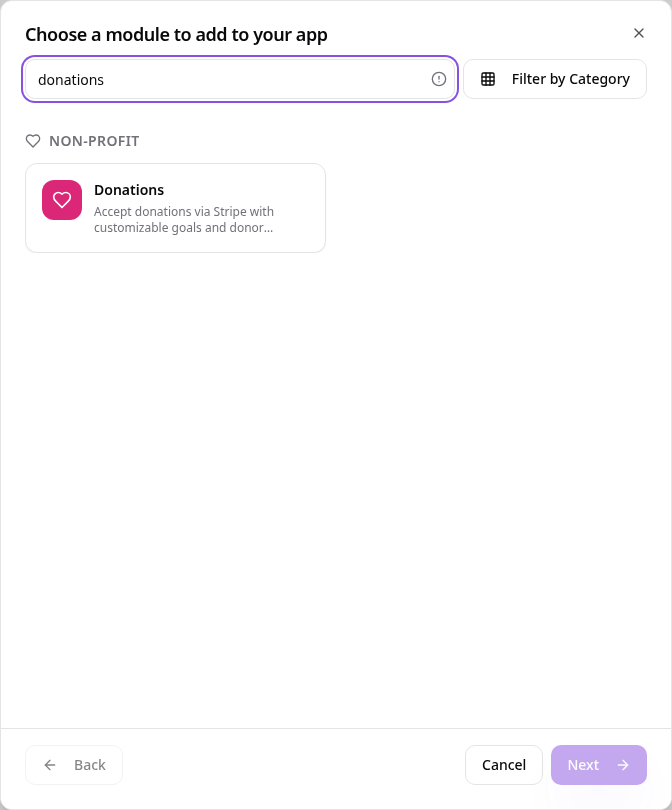
Choose Donations
Search “donations” and tap Donations.
- 3
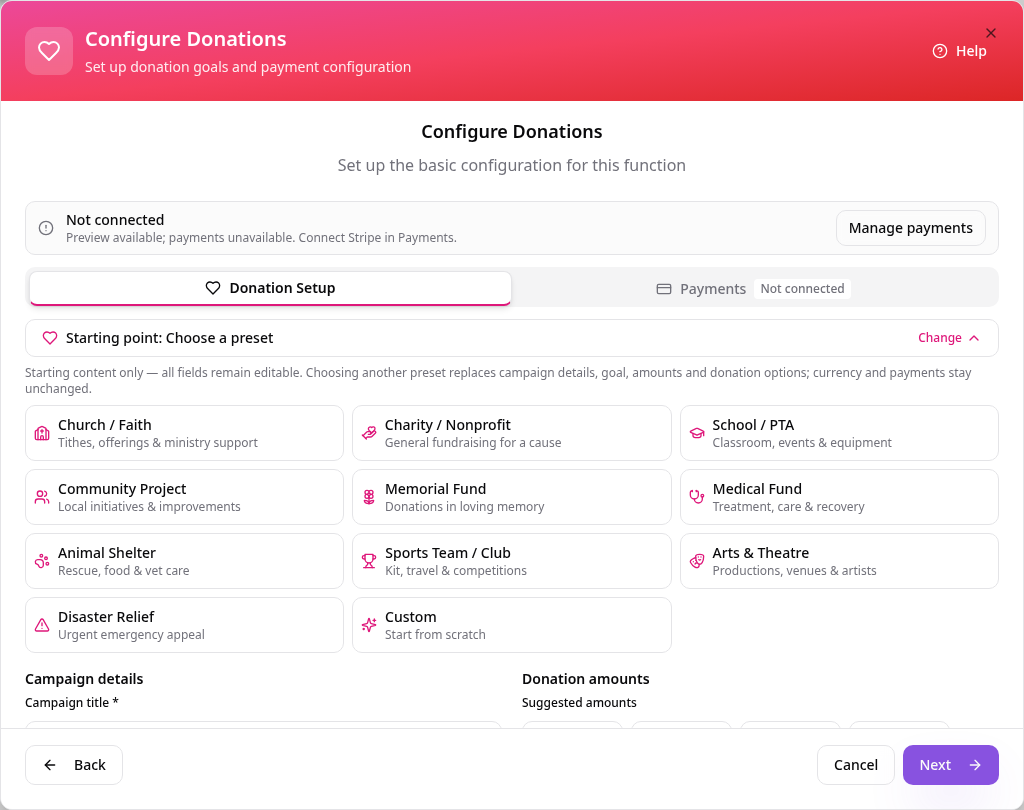
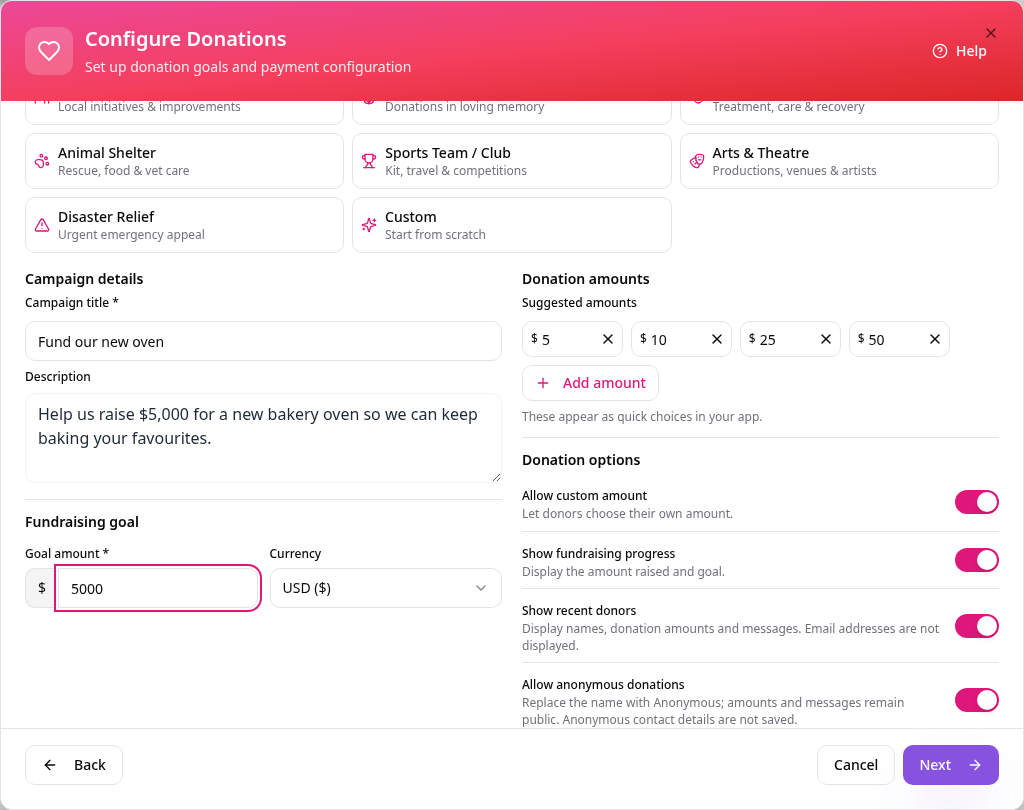
Set up your campaign
The Donation Setup tab opens with your campaign details, goal and donation options.
- 4
Describe your campaign
Add a title, description and fundraising goal, then tap Payments.
- 5
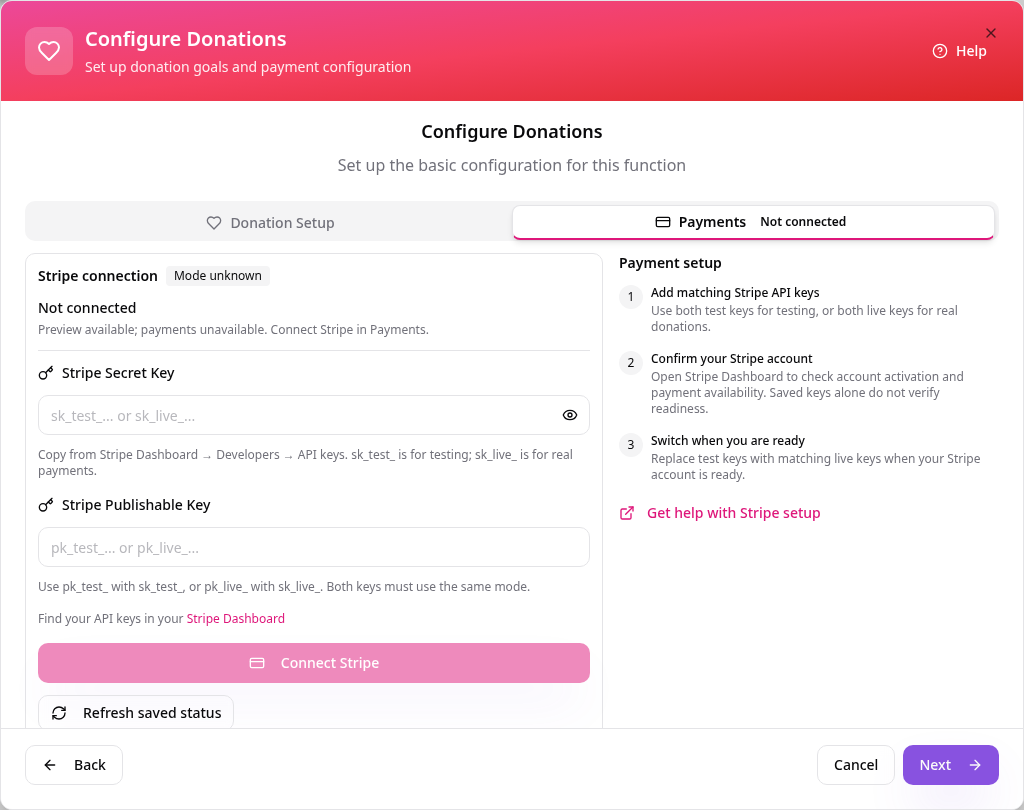
Connect payments
Add your Stripe keys when you are ready to accept real donations, then tap Next.
- 6
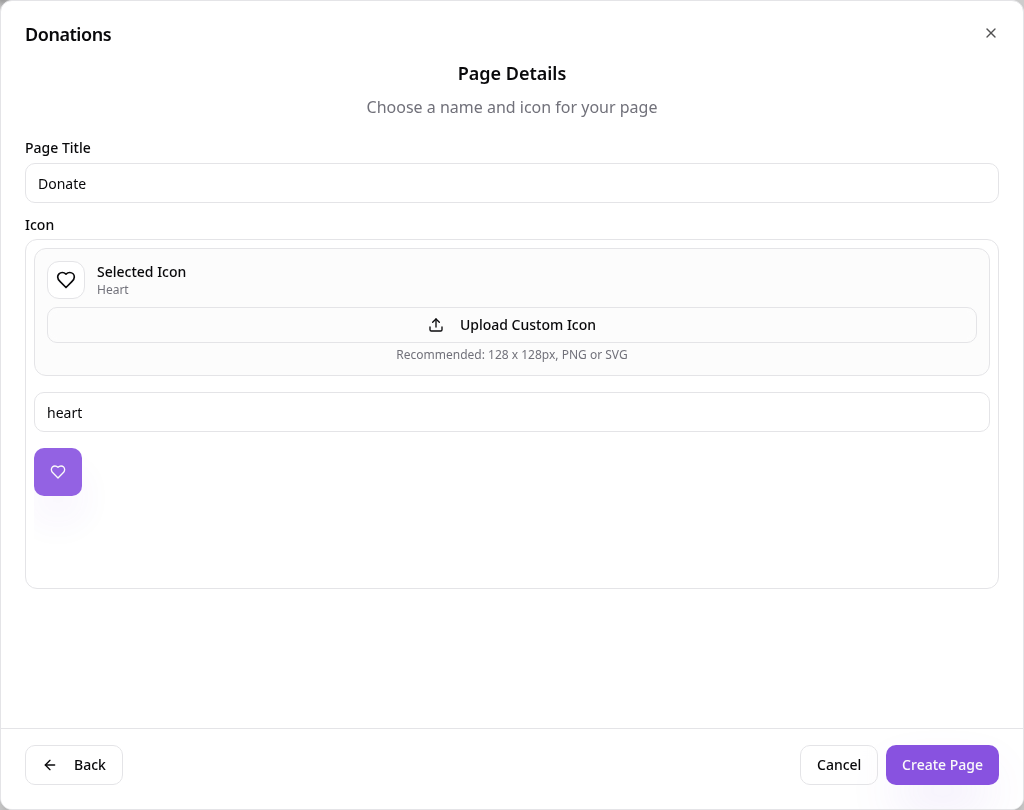
Name the page
Use a short name such as Donate, choose an icon and tap Create Page.
- 7
See it in your app
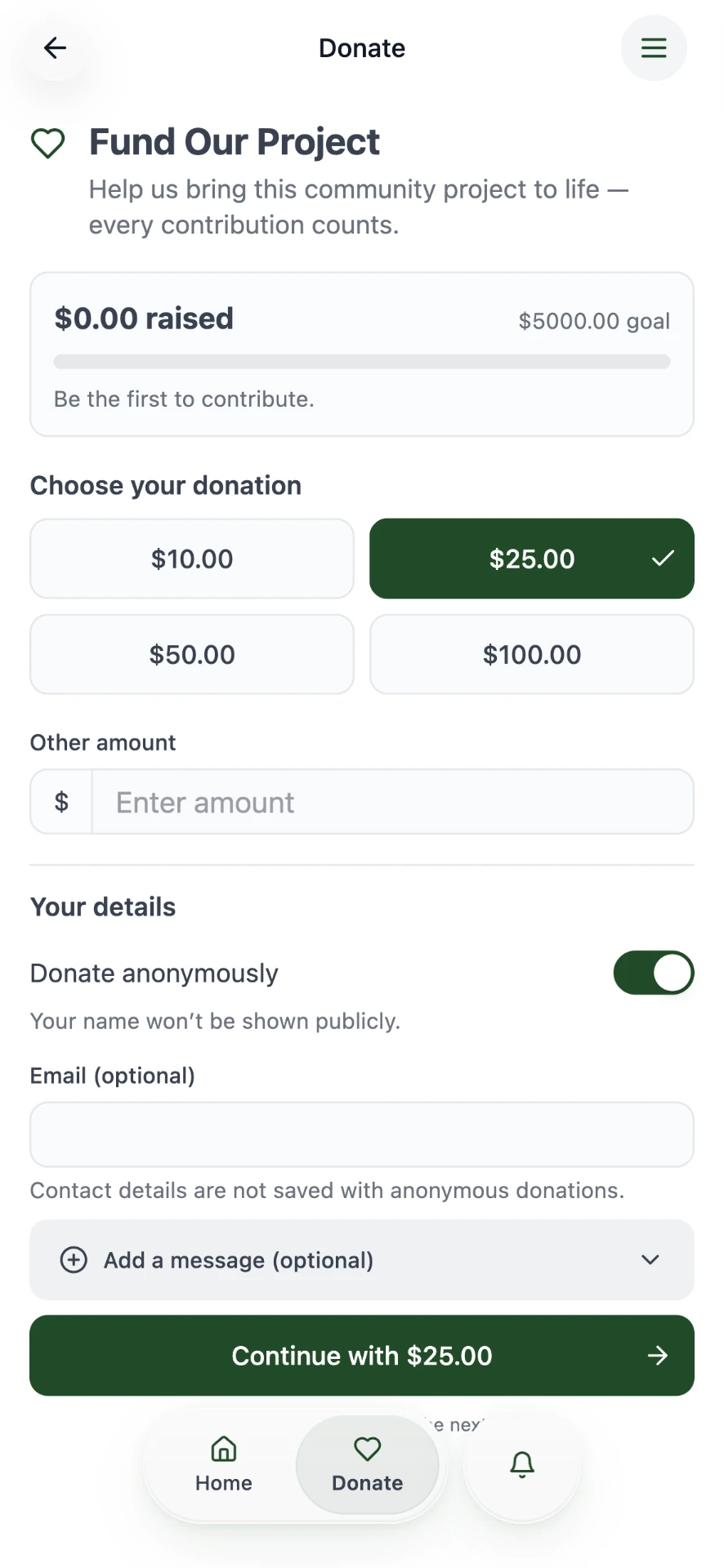
Customers pick an amount, add their details and continue to payment.
To change your campaign later, open its page in Pages and choose Edit Page Content. Donation activity is in Data Manager.