Share a guest stay guide
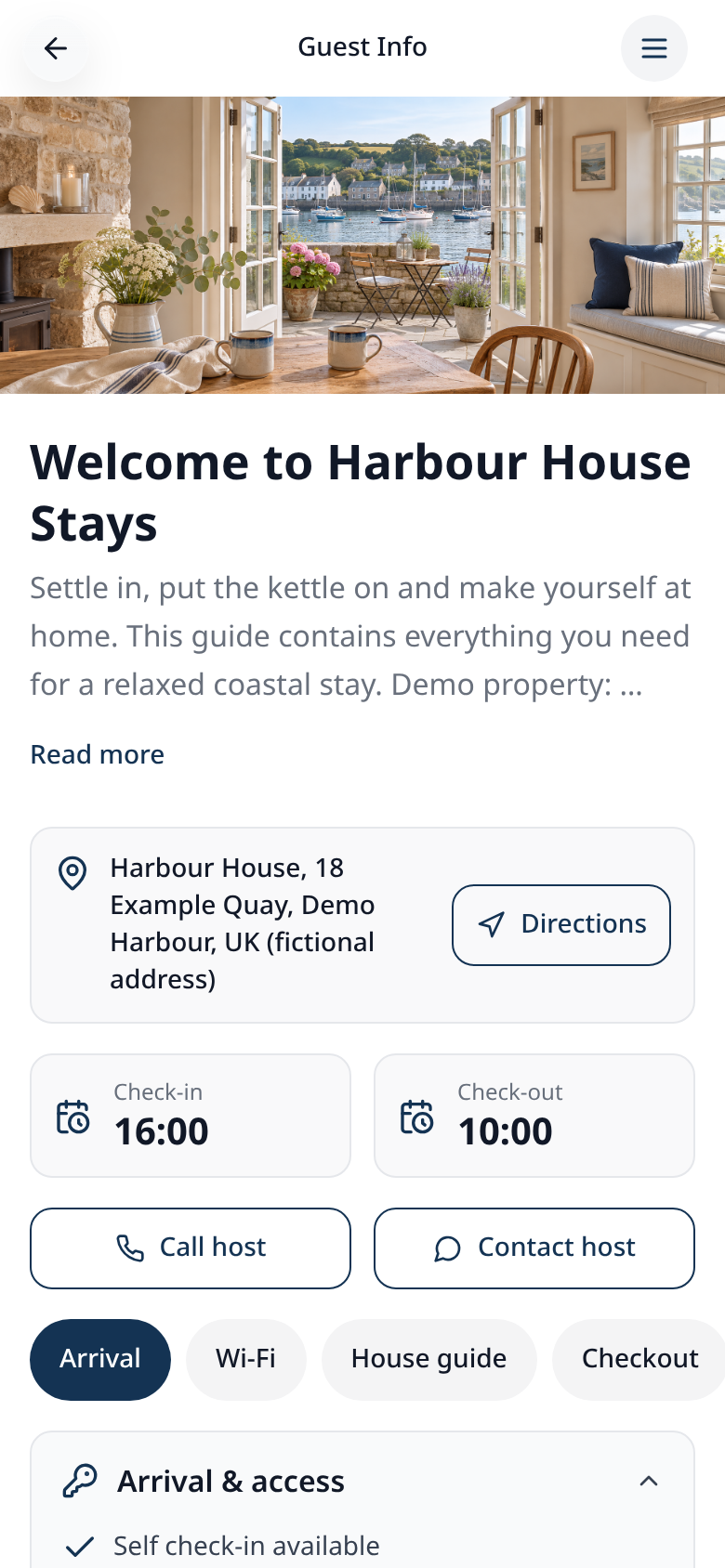
Give guests check-in details, Wi-Fi, house rules and a checkout checklist, with door codes unlocked by a private PIN.
Step-by-step guide
Follow these steps, then download the PDF to keep.
- 1
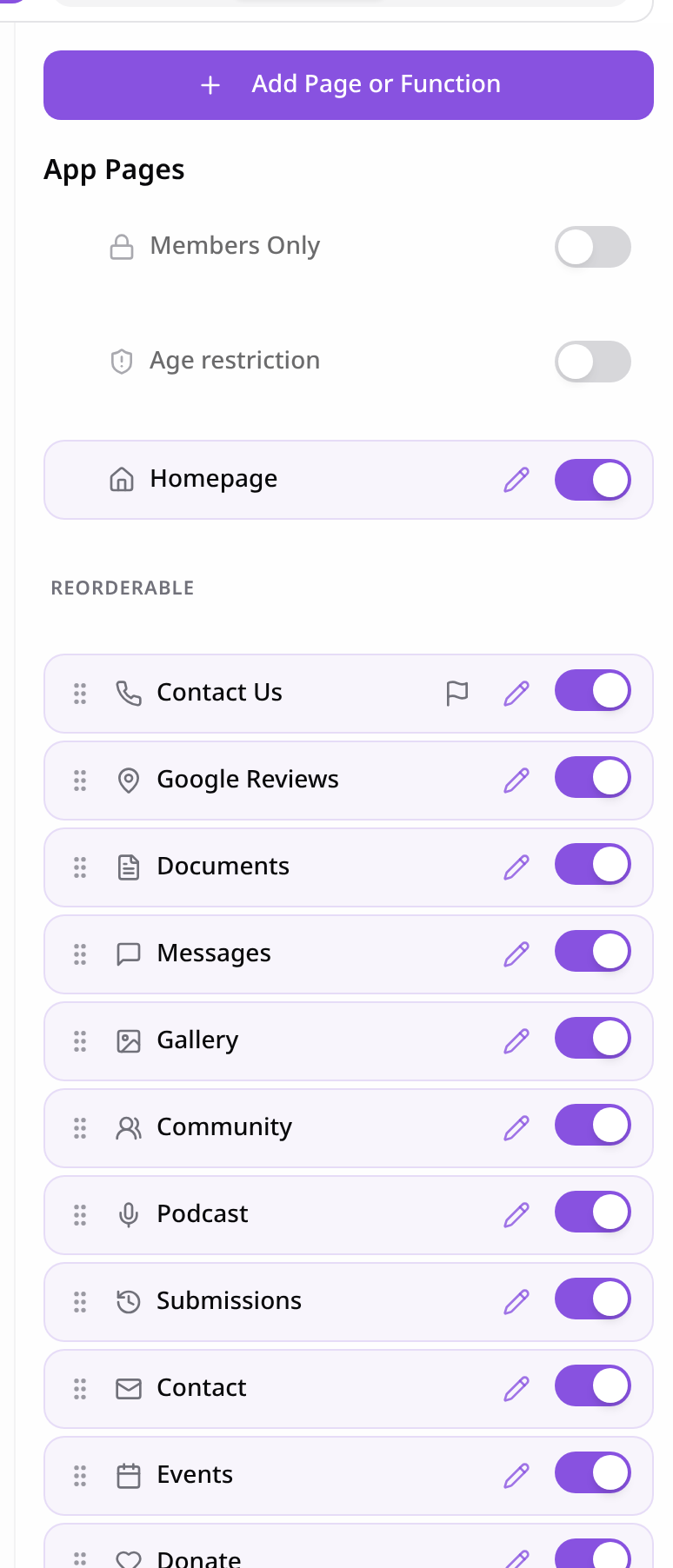
Open Pages
In your app editor, open Pages and tap Add Page or Function.
- 2
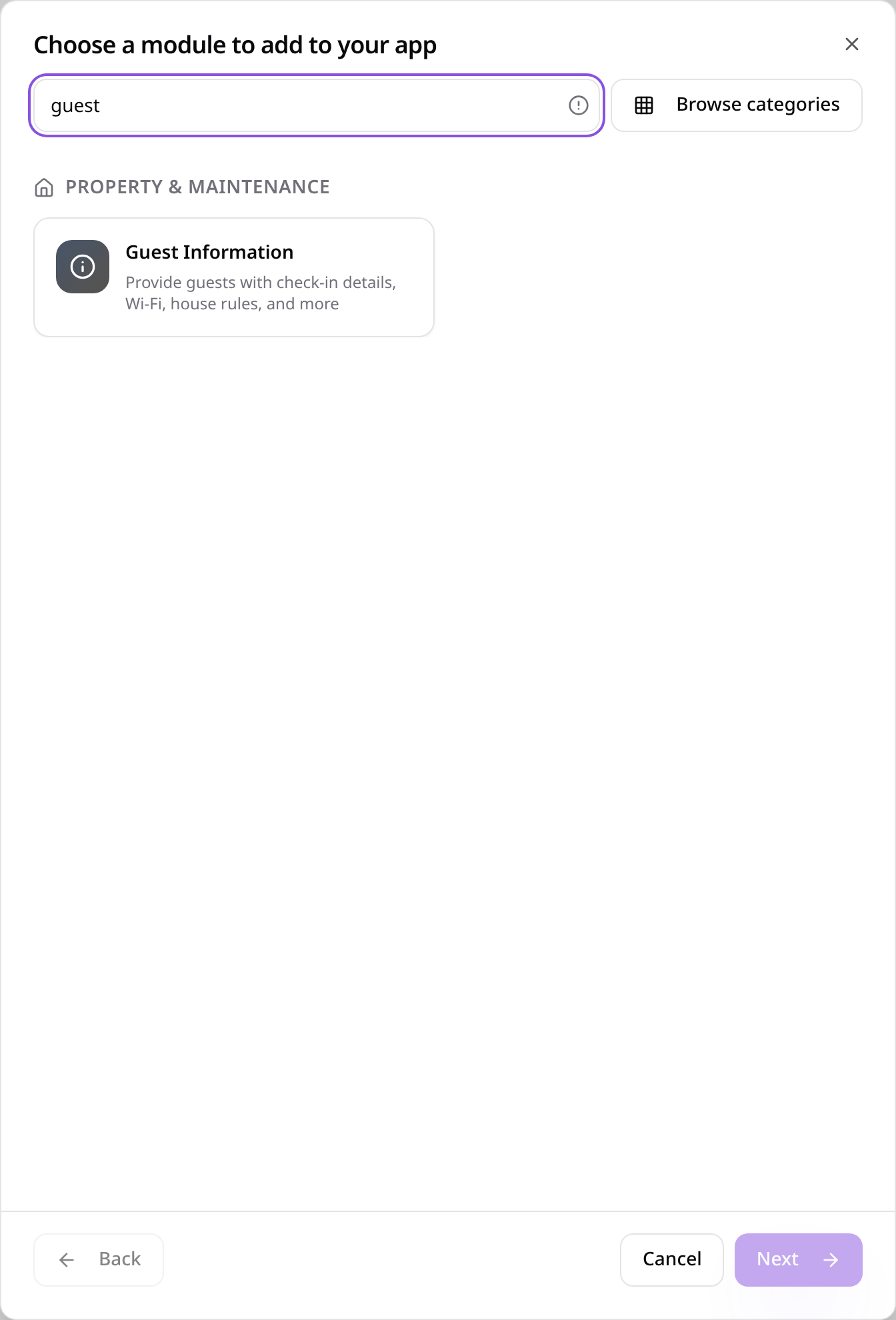
Choose Guest Information
Search “guest” and tap Guest Information.
- 3
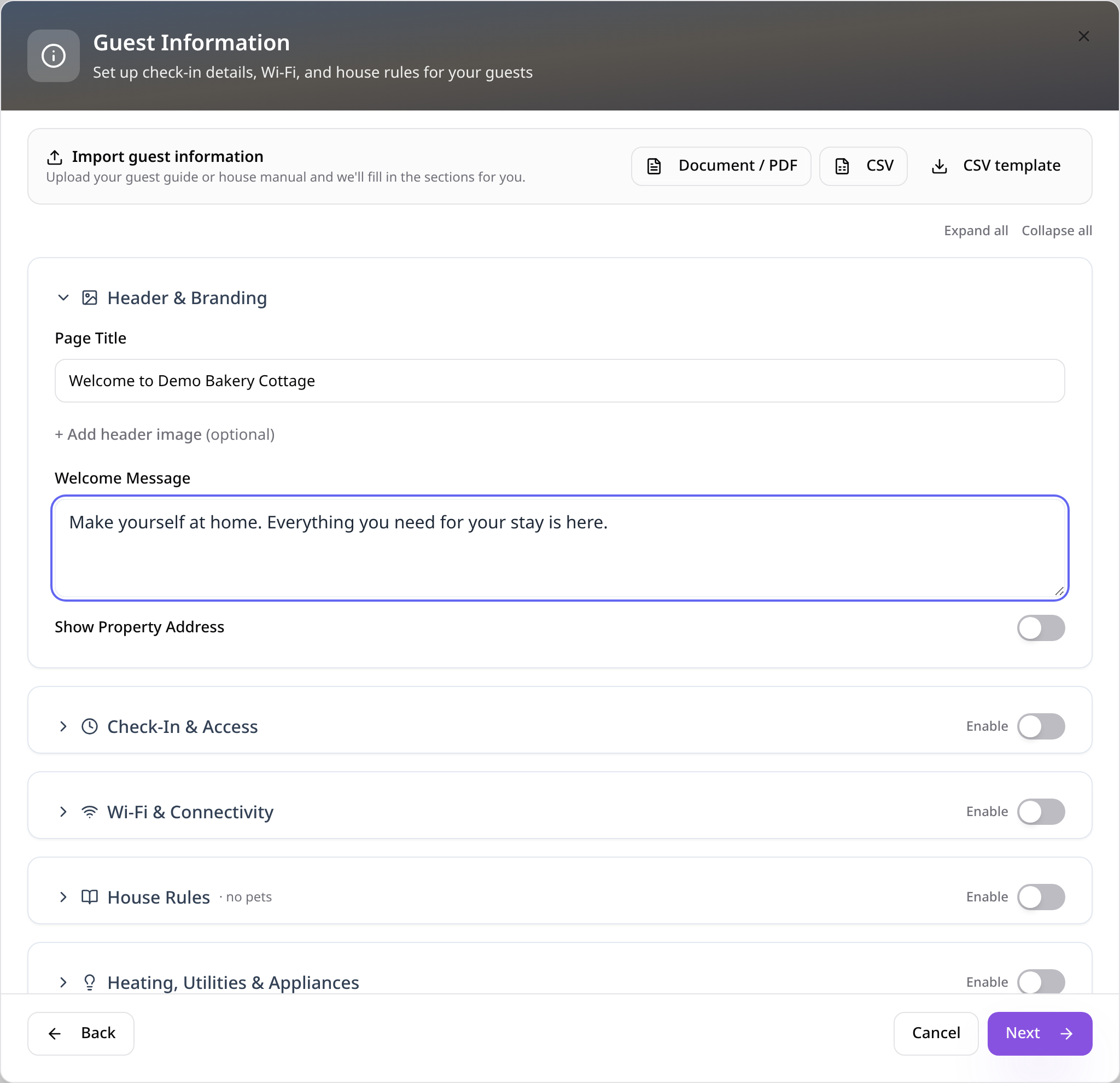
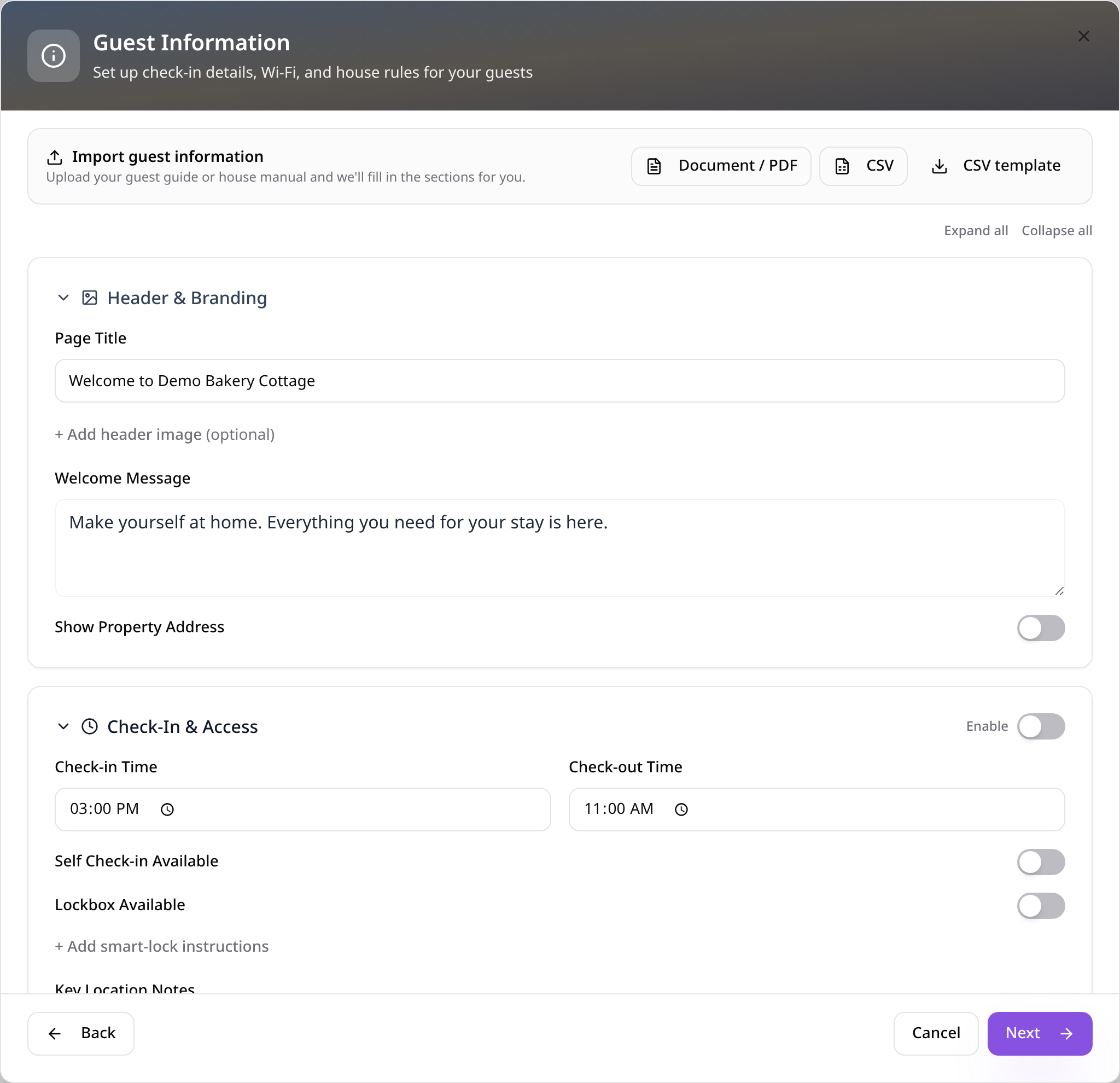
Add a welcome
Add a title and welcome message, or import an existing house manual as a PDF, document or CSV.
- 4
Add check-in details
Turn on Check-In & Access and add times, key location and lockbox code.
- 5
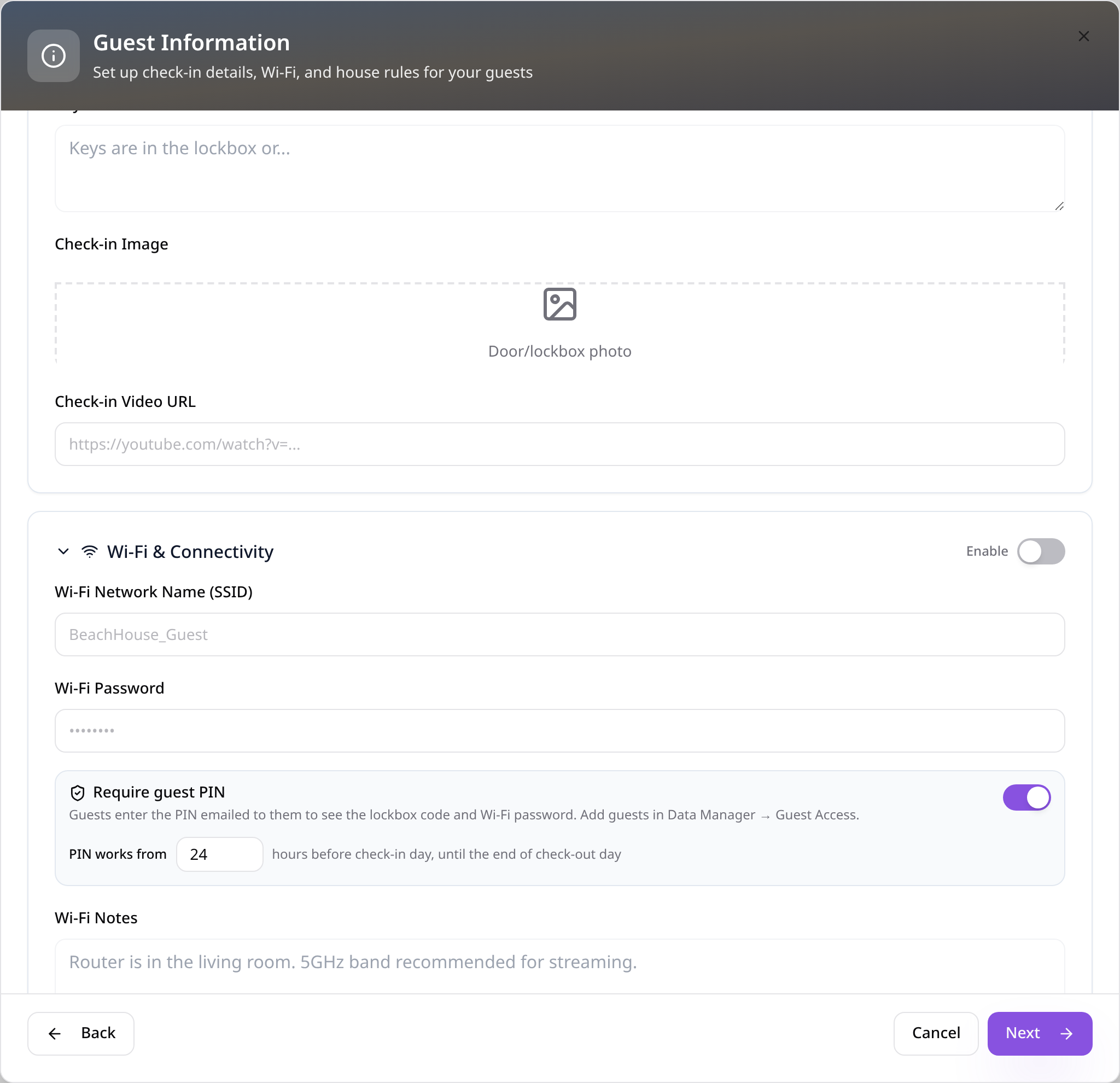
Add Wi-Fi and a PIN
Add your Wi-Fi details and keep Require guest PIN on so codes stay private. Tap Next.
- 6
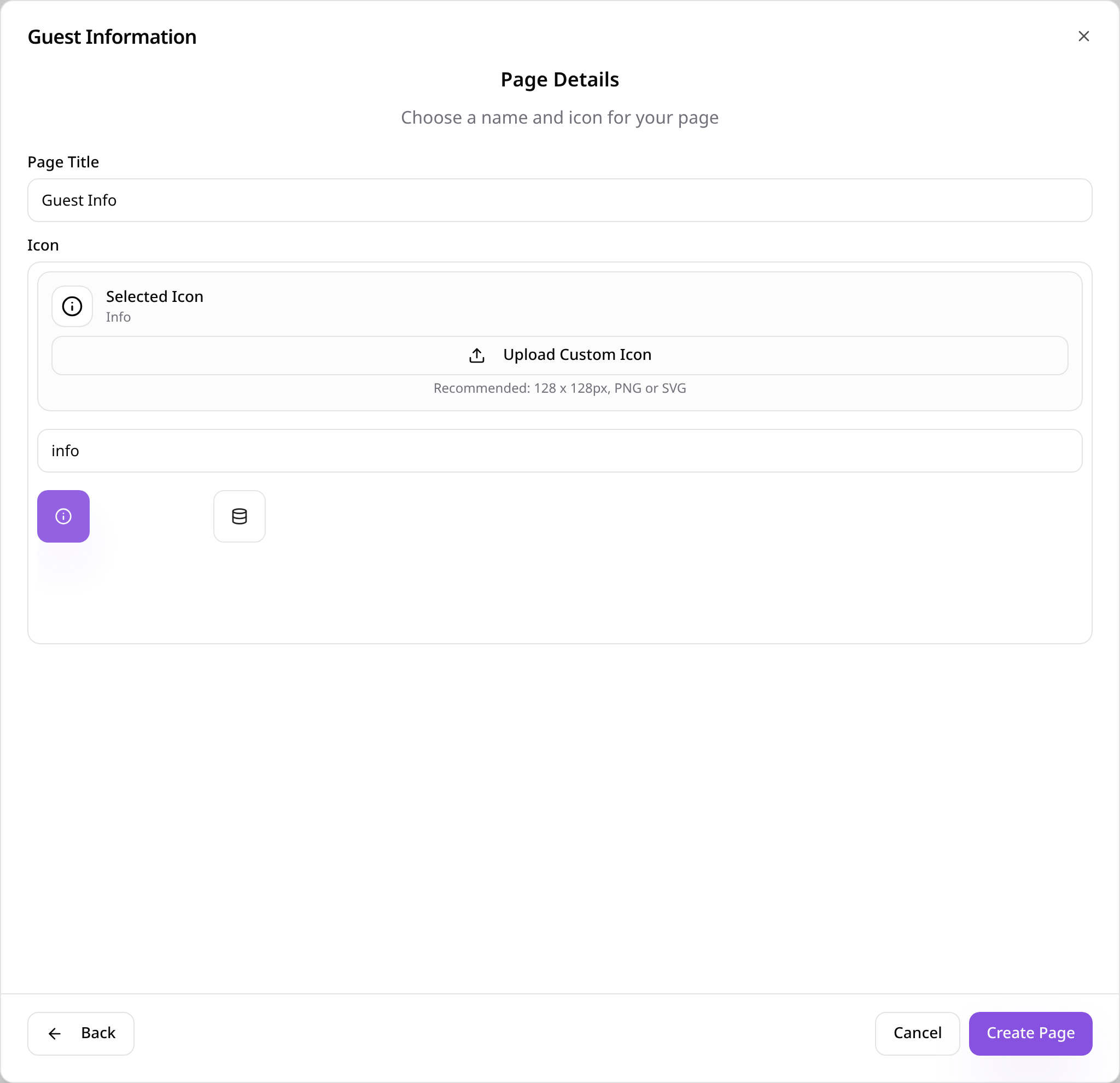
Name the page
Give the page a name, choose an icon and tap Create Page.
- 7
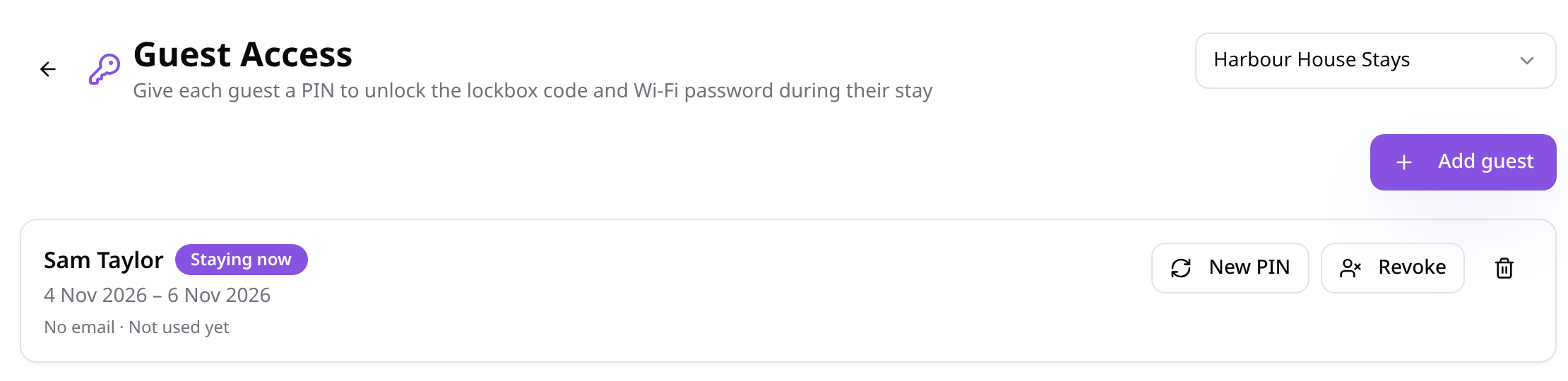
Add your guests
In Data Manager, open Guest Access and add each guest with their dates. They're emailed a 6-digit PIN.
- 8
Guests open the guide
Guests see check-in times, directions and contact buttons, with sections they can jump between.
- 9
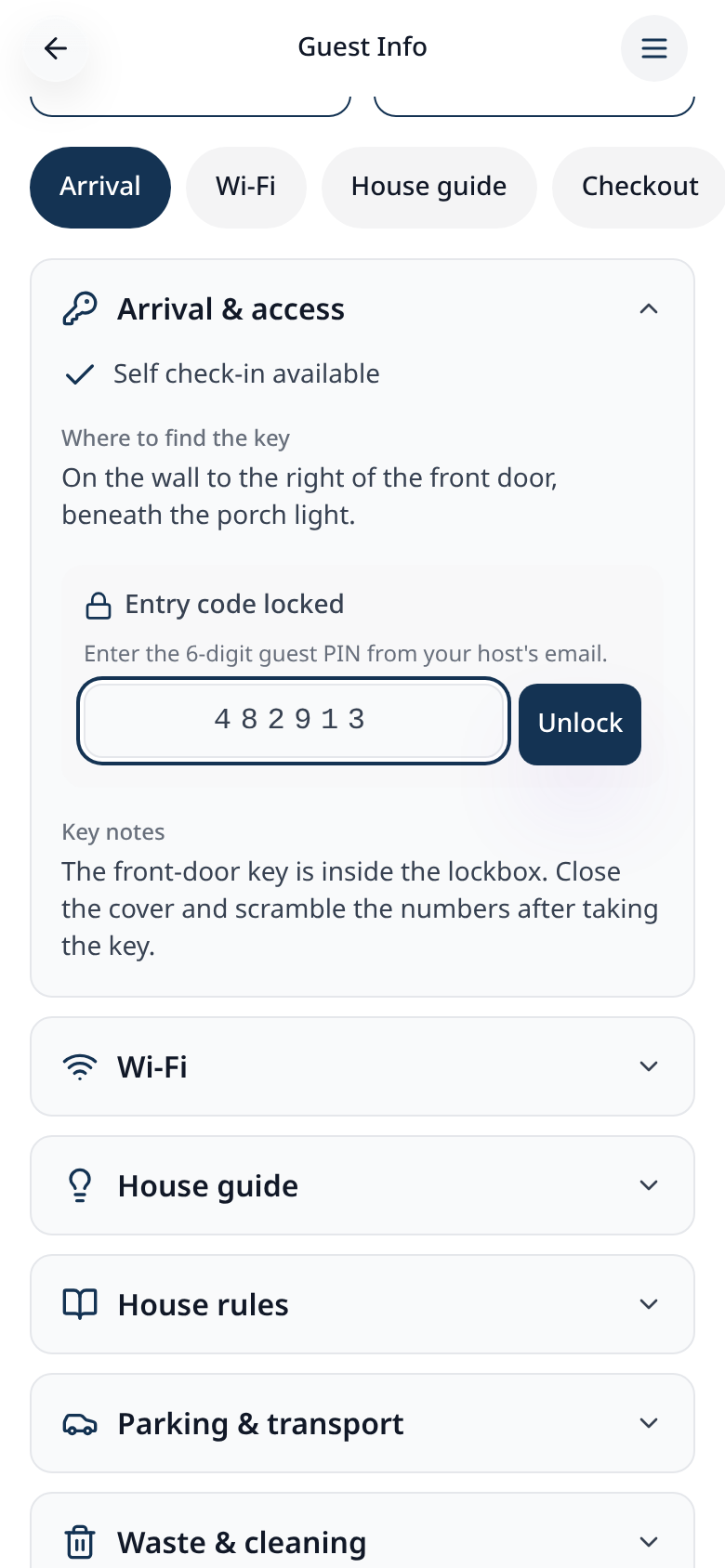
They enter their PIN
Door and Wi-Fi codes stay hidden until the guest enters the PIN from their email.
- 10
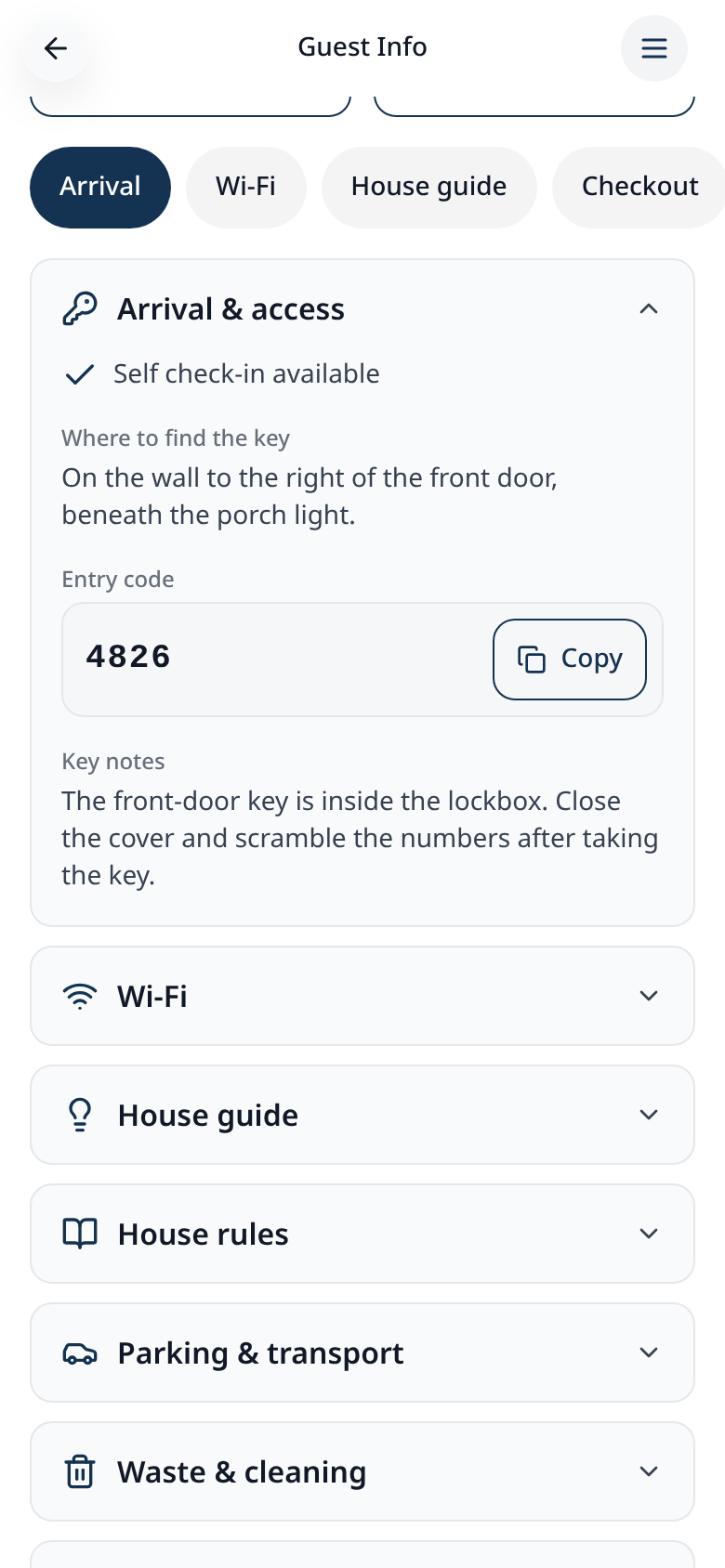
Codes unlock
The correct PIN reveals the codes during their stay, ready to copy.
- 11
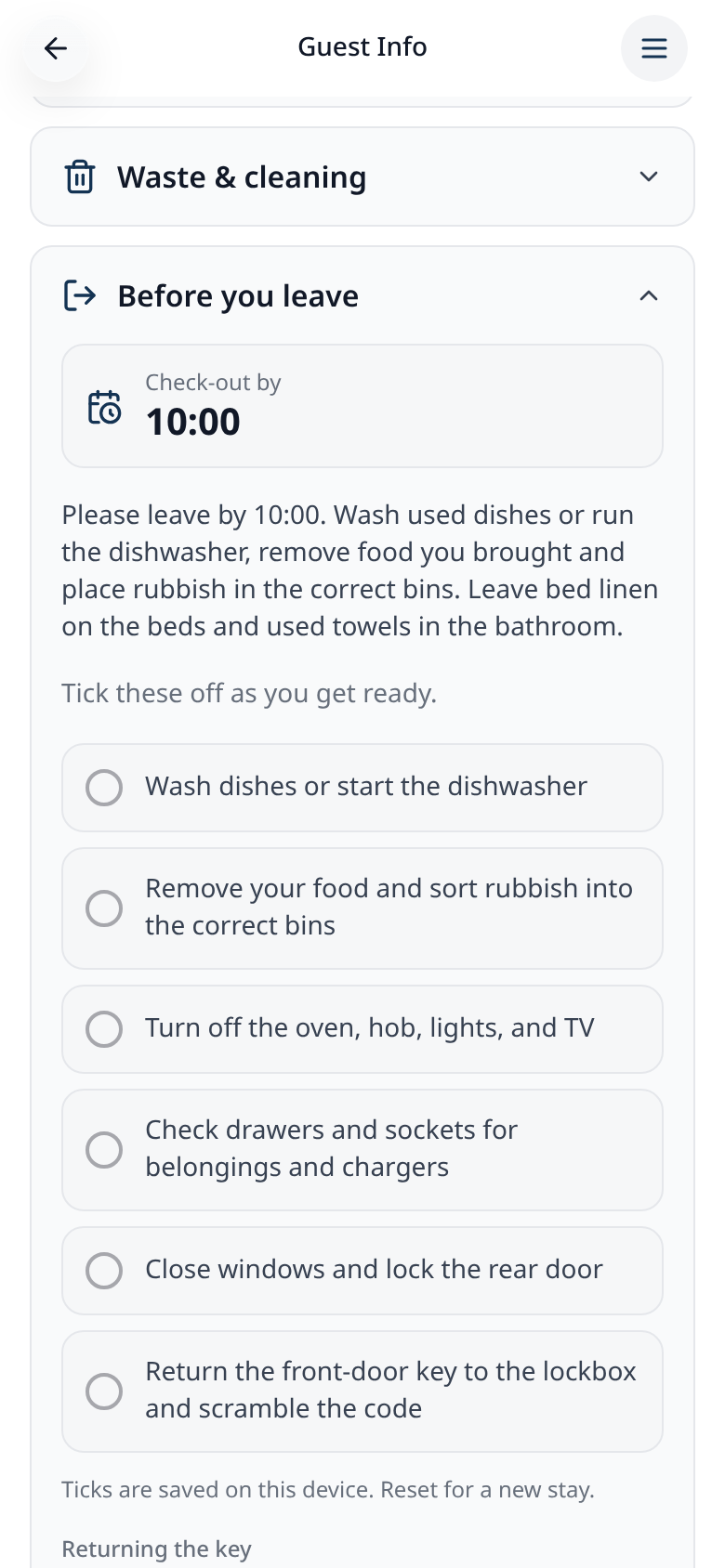
Checkout checklist
Before leaving, guests tick off your checkout list.
PINs only work from shortly before check-in until checkout day. Open Guest Access to resend a PIN or remove a guest.