Make reusable checklists with Lists
Build checklists with sections and important items, then let people tick, filter and reset them in your app.
Step-by-step guide
Follow these steps, then download the PDF to keep.
- 1
Choose Lists
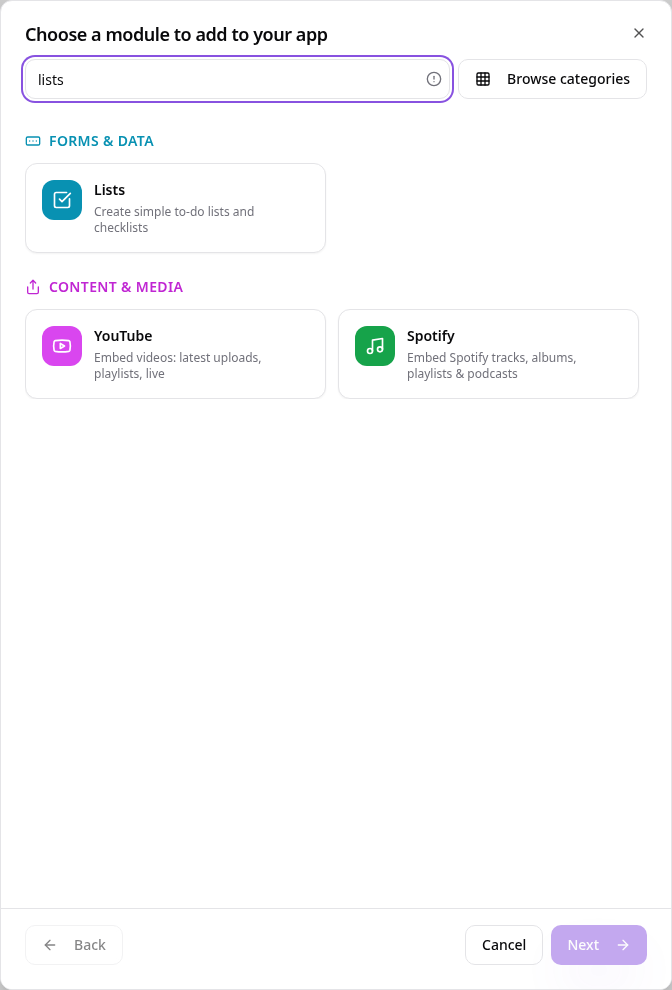
In Pages, tap Add Page or Function, search “lists” and tap Lists.
- 2
Name your list
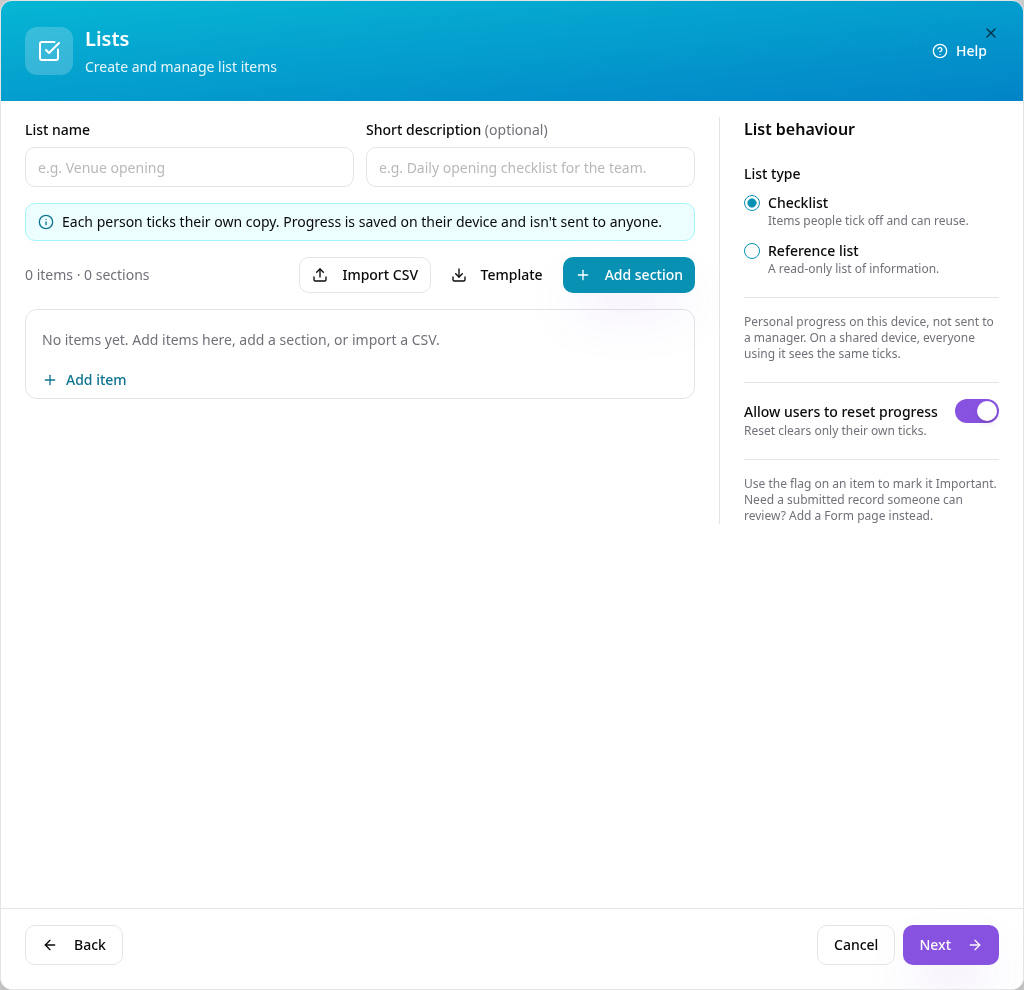
Give the list a name and a short description. Choose Checklist for things to tick off, or Reference list for read-only information.
- 3
Add sections and items
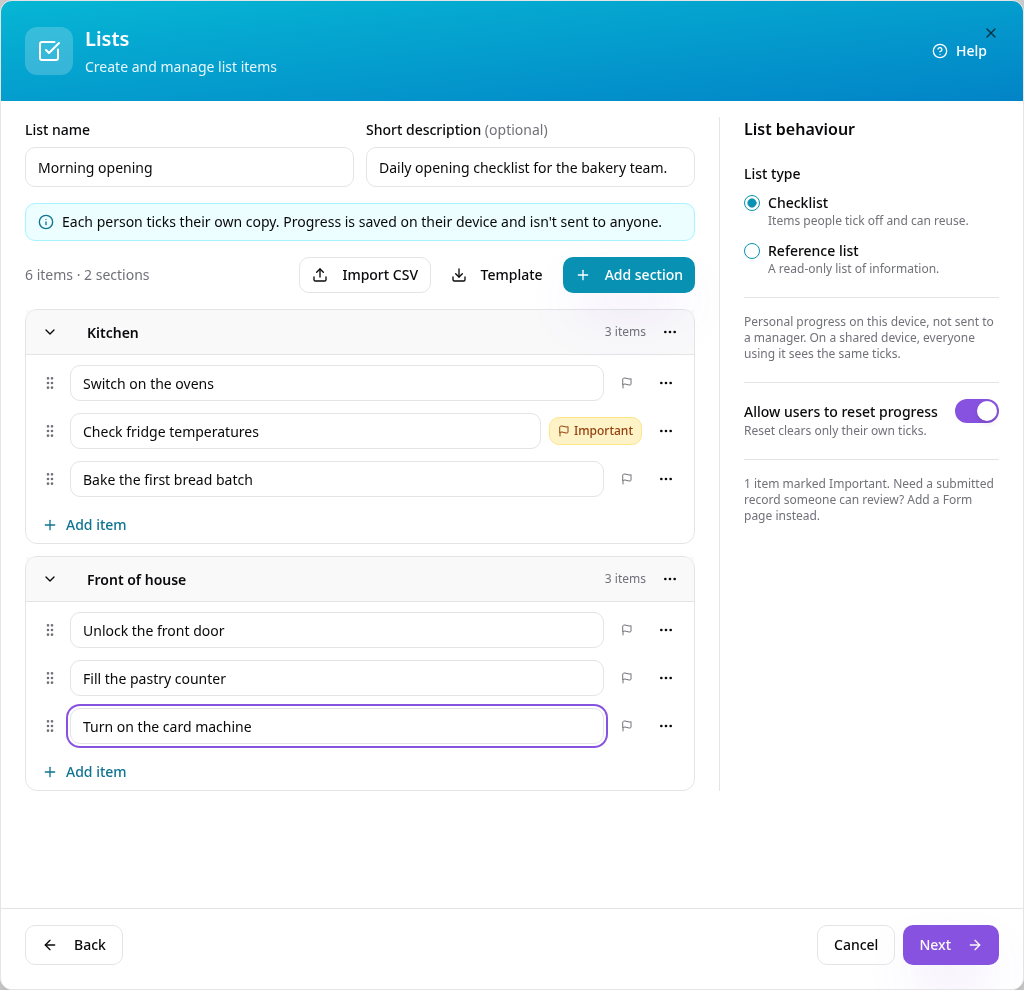
Tap Add section, name it in its header, then use Add item inside it. Use the flag to mark an item Important. Drag items to reorder them or move them to another section. You can also import items from a CSV; tap Template for the format.
- 4
See it in your app
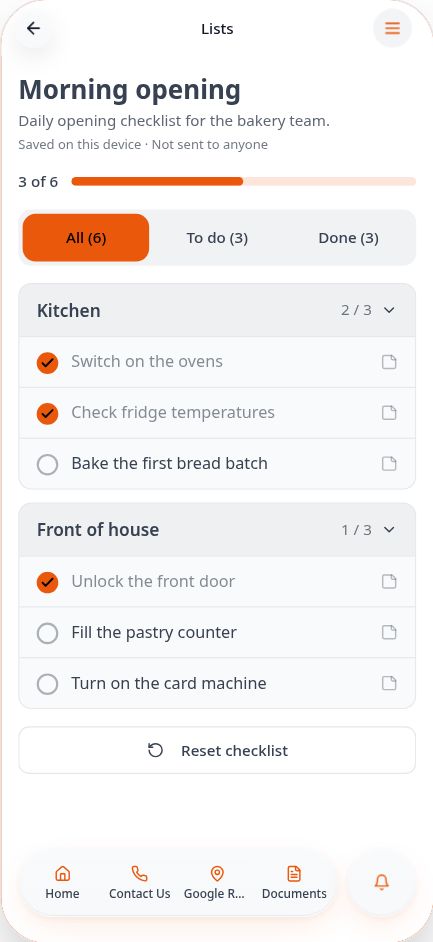
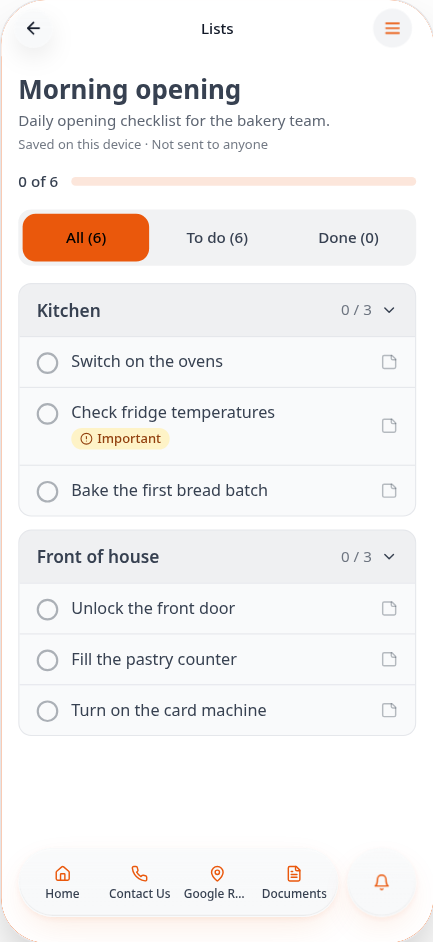
Tap Next, then Create Page. Your checklist shows its sections, progress and Important items.
- 5
Tick items off
Tap an item to tick it. Progress is saved on that person's device and isn't sent to anyone.
- 6
See what's left
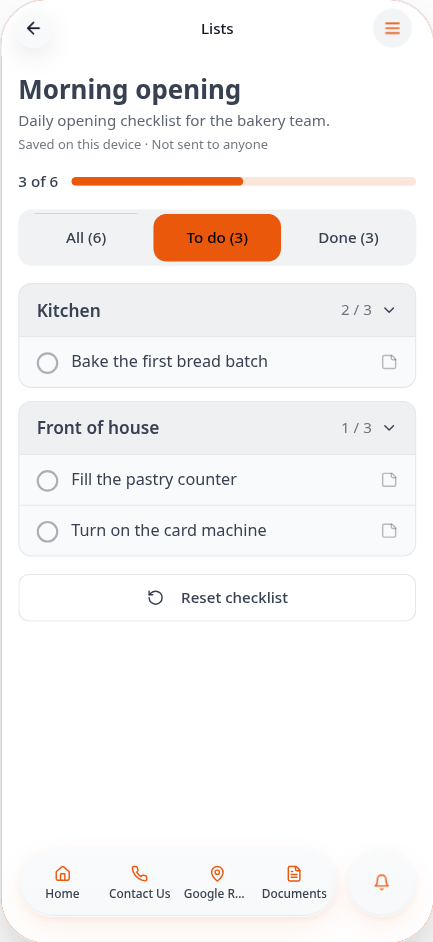
Tap To do to show only unticked items, or Done to see what's finished.
- 7
All done
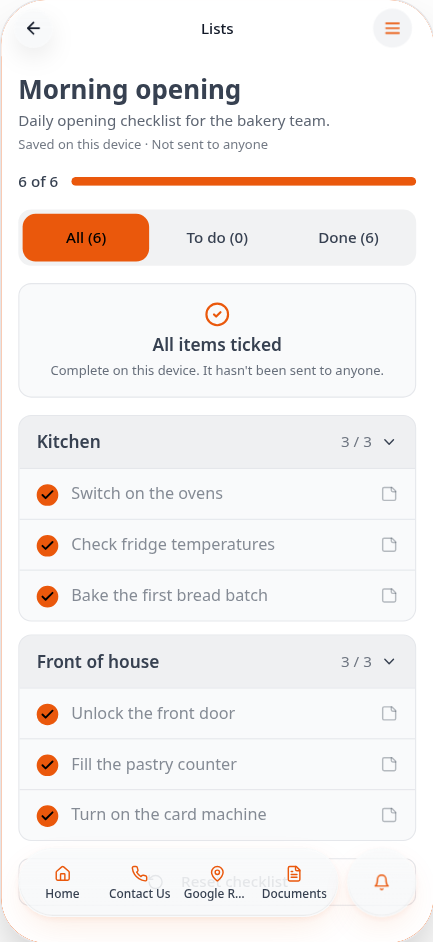
When every item is ticked, the checklist says so.
- 8
Reset for next time
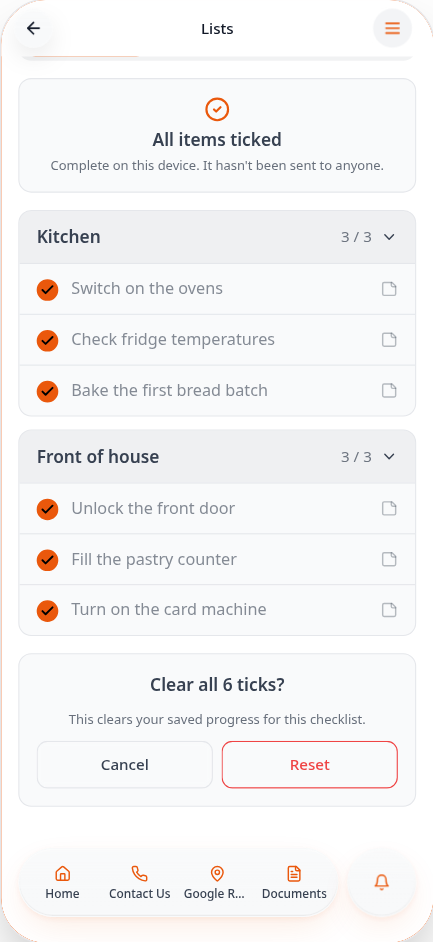
Tap Reset checklist and confirm to clear the ticks, ready for tomorrow. You can turn this option off in the editor. Need a record someone can review? Use a Form page instead.
Edit your list any time from Edit Page Content. Ticks are personal to each device, so for handovers or reports someone needs to review, link to a Form.