Showcase your speakers
Add speaker profiles with photos and biographies, link them to an event and show them in your app.
Step-by-step guide
Follow these steps, then download the PDF to keep.
- 1
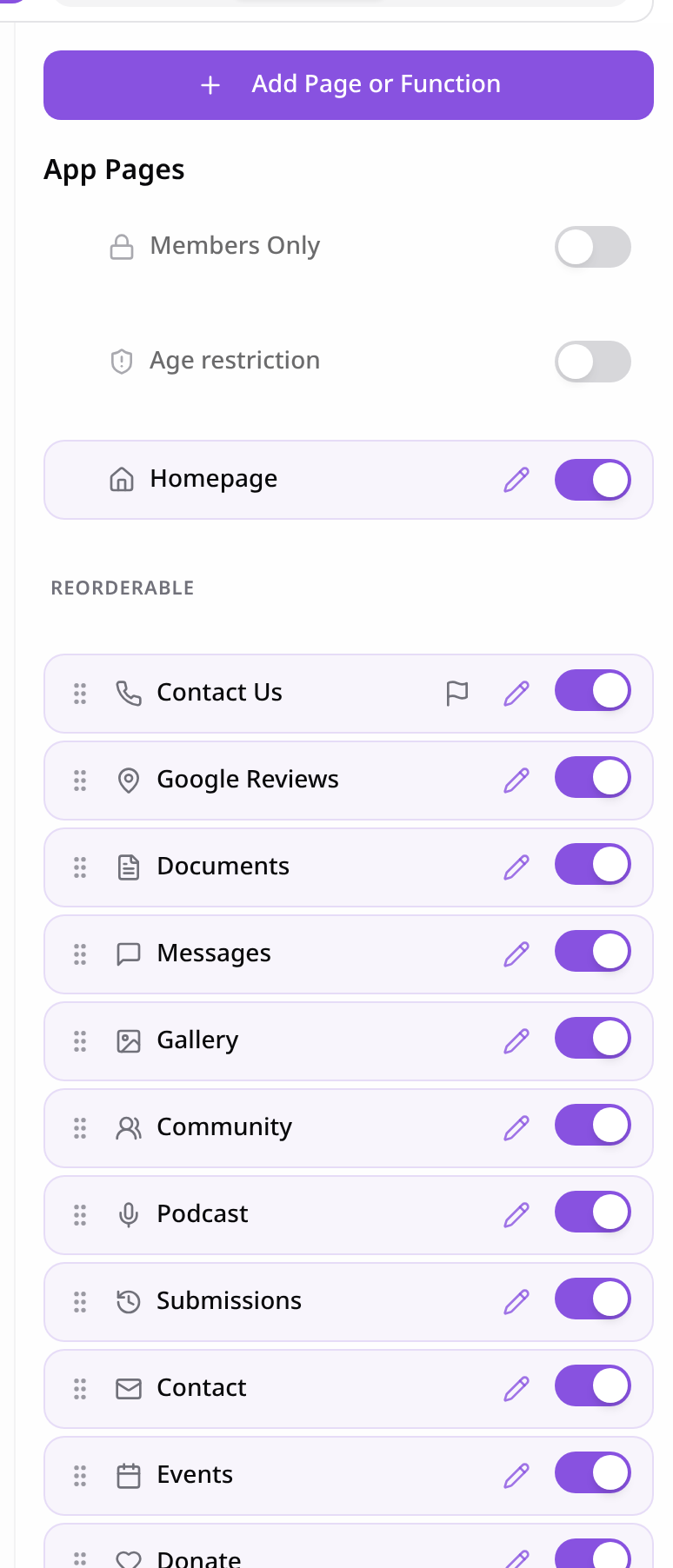
Open Pages
In your app editor, open Pages and tap Add Page or Function.
- 2
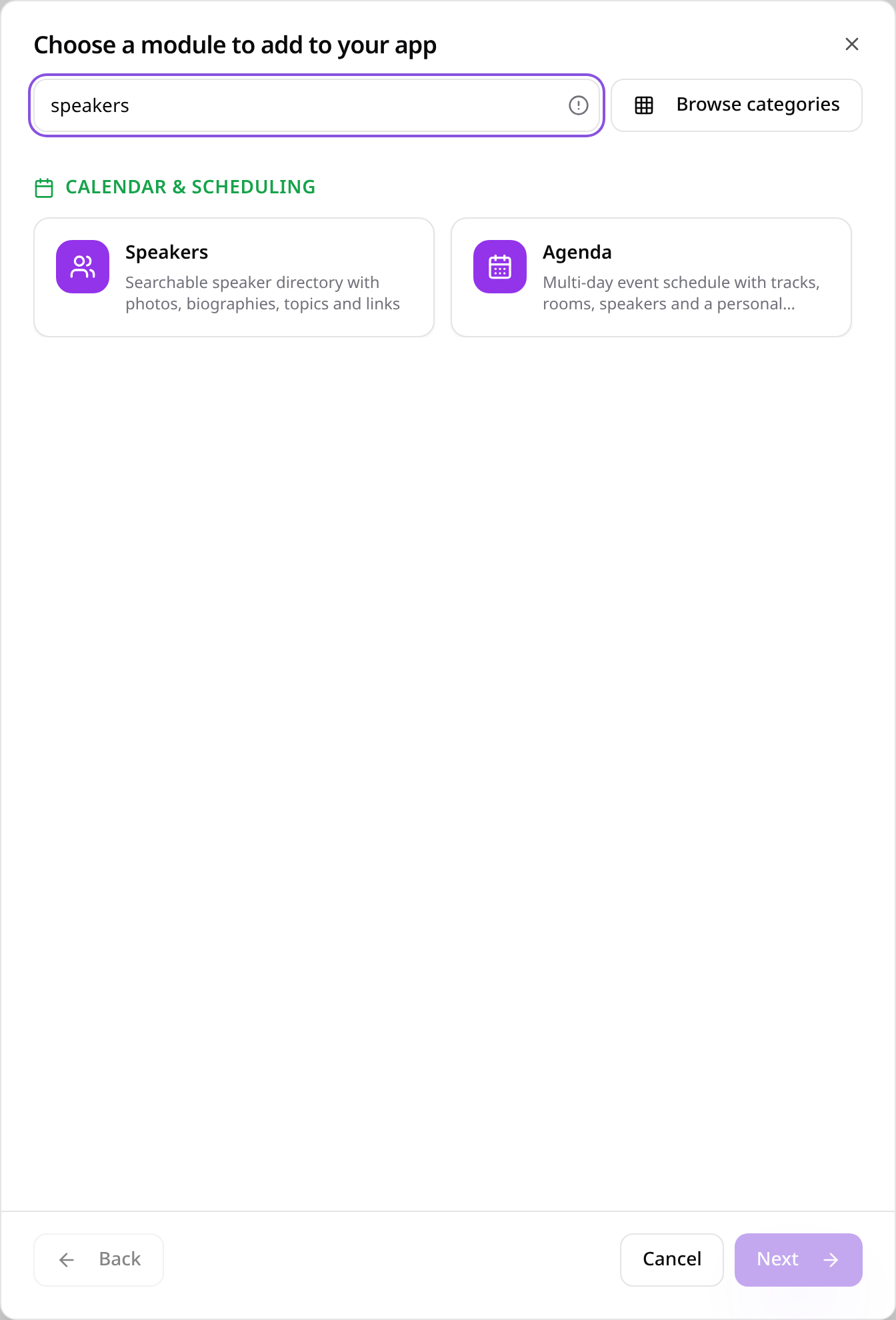
Choose Speakers
Search “speakers” and tap Speakers.
- 3
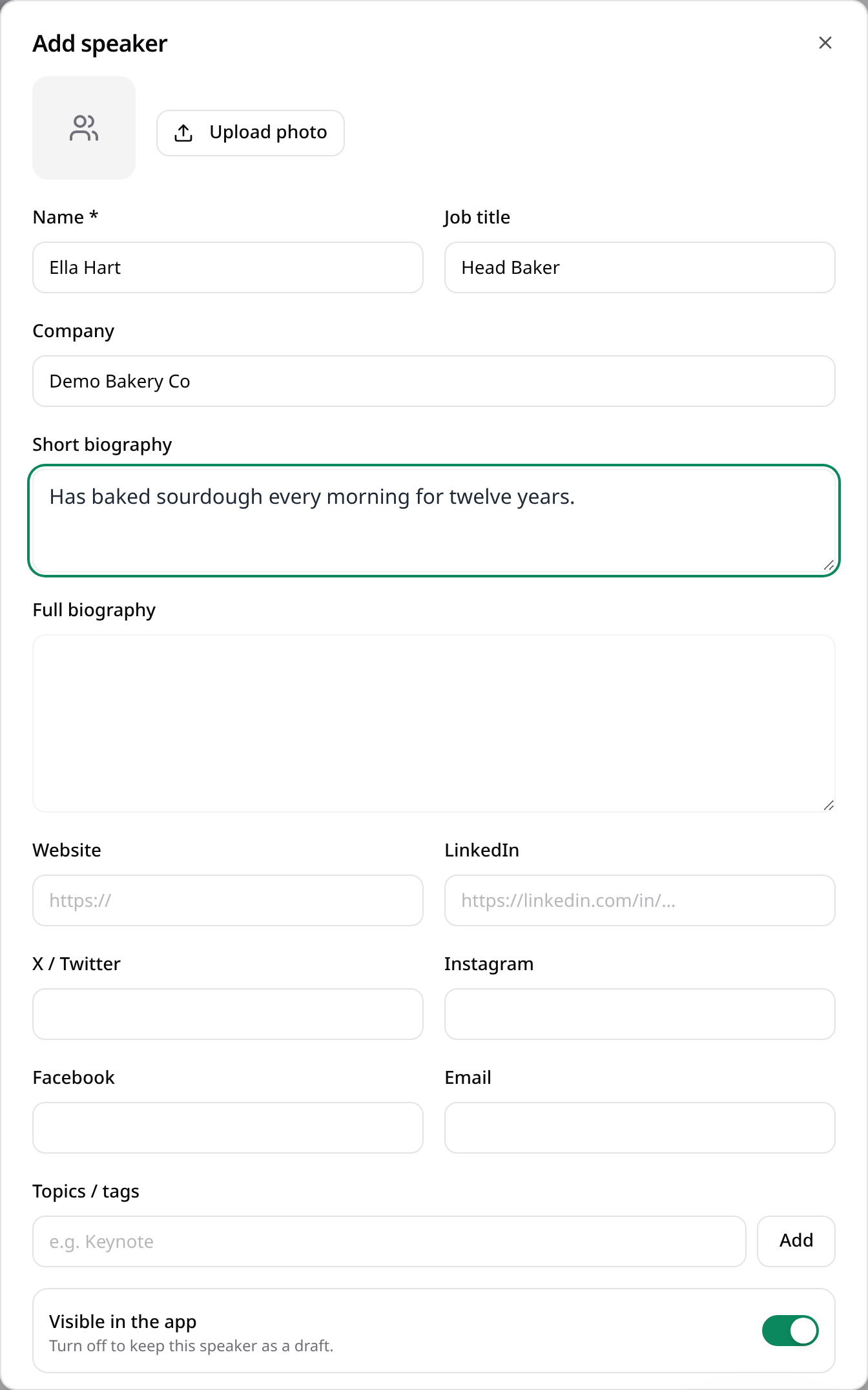
Add a speaker
Tap Add speaker and fill in their name, role, photo, biography and links.
- 4
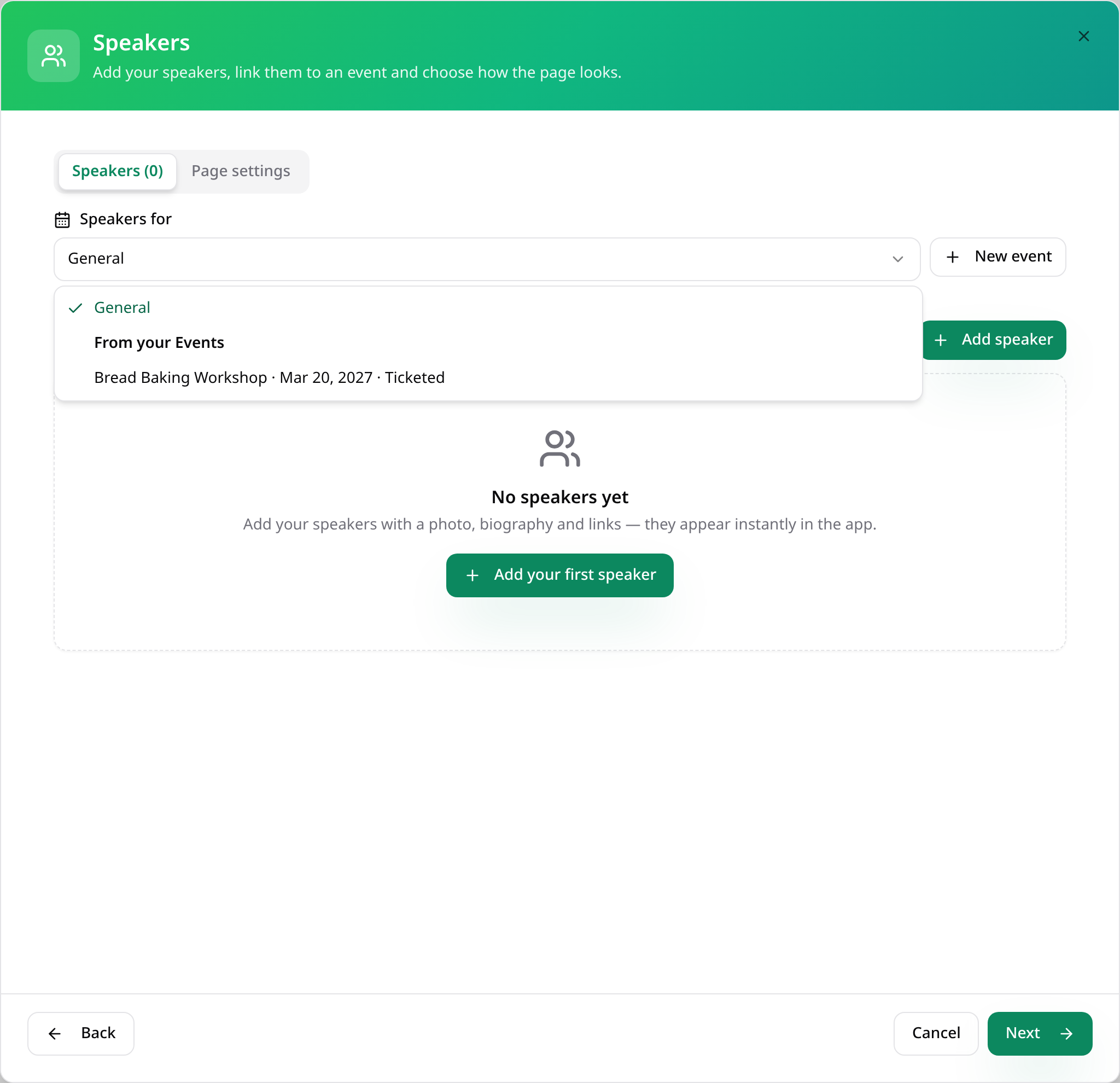
Link to an event
Under Speakers for, choose the event they're speaking at, or General.
- 5
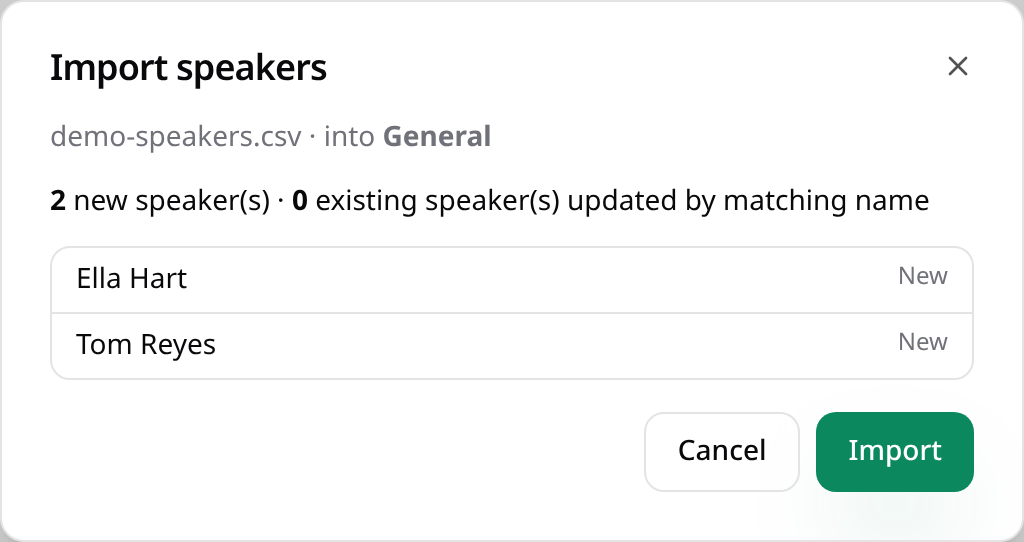
Or import a CSV
Download the CSV template, fill it in and tap Import CSV. Check the list, then tap Import.
- 6
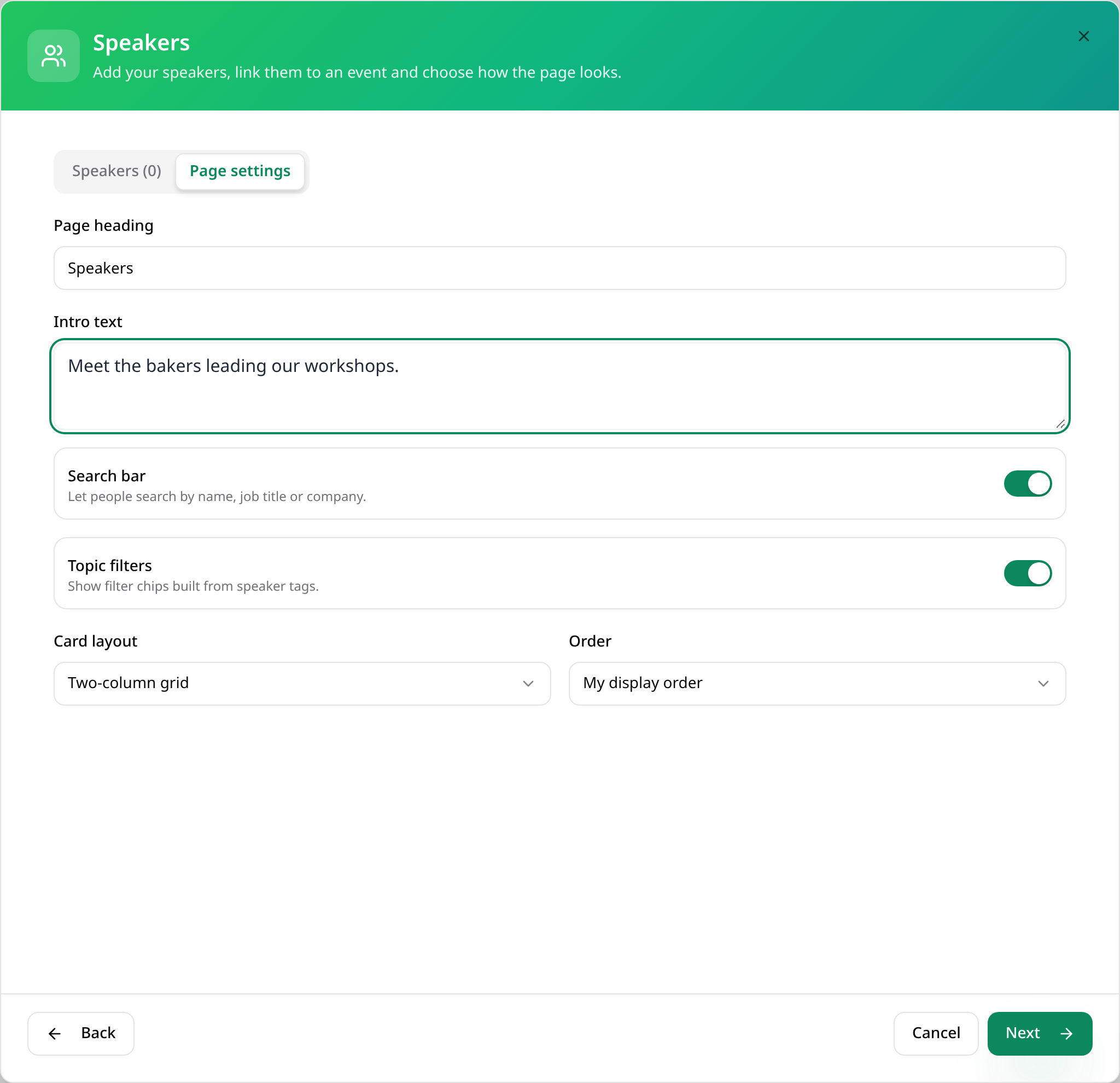
Page settings
On Page settings, choose how speakers are laid out. Tap Next.
- 7
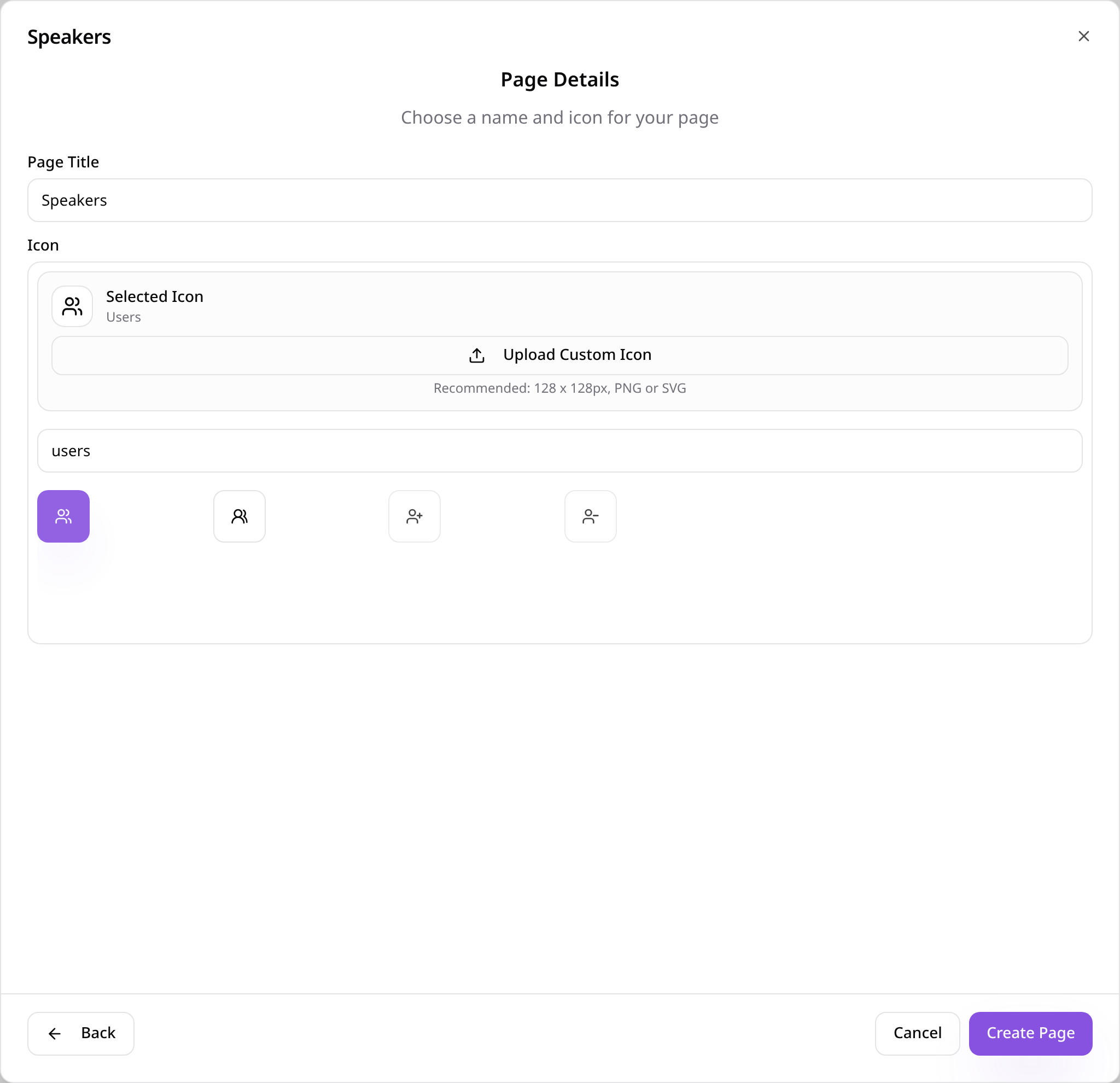
Name the page
Give the page a name, choose an icon and tap Create Page.
- 8
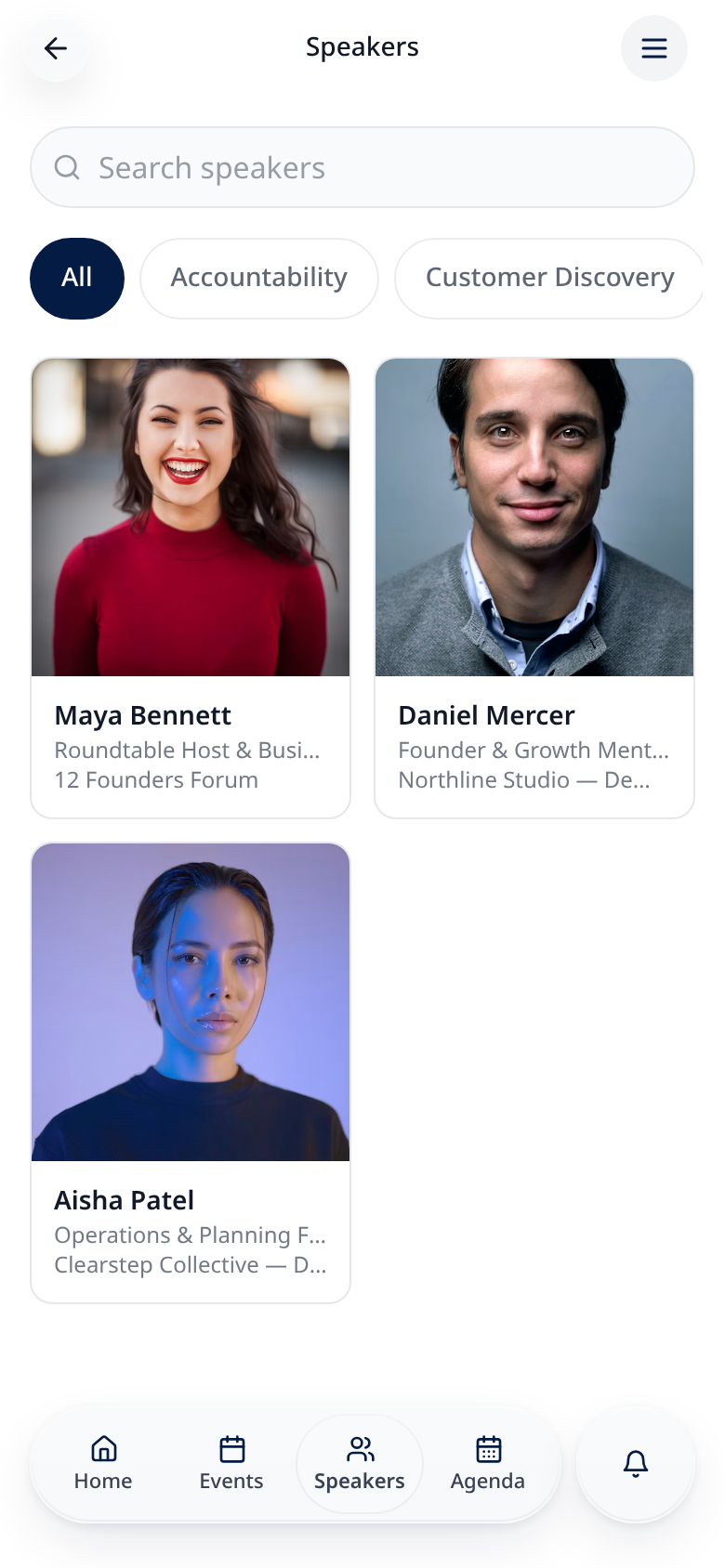
Attendees browse speakers
Speakers show with their photo, role and company.
- 9
Speaker profile
Tapping a speaker opens their full profile and topics.

Speakers you add here can also be chosen for sessions on your Agenda page.