All guides
User guide
Show your Trustpilot reviews
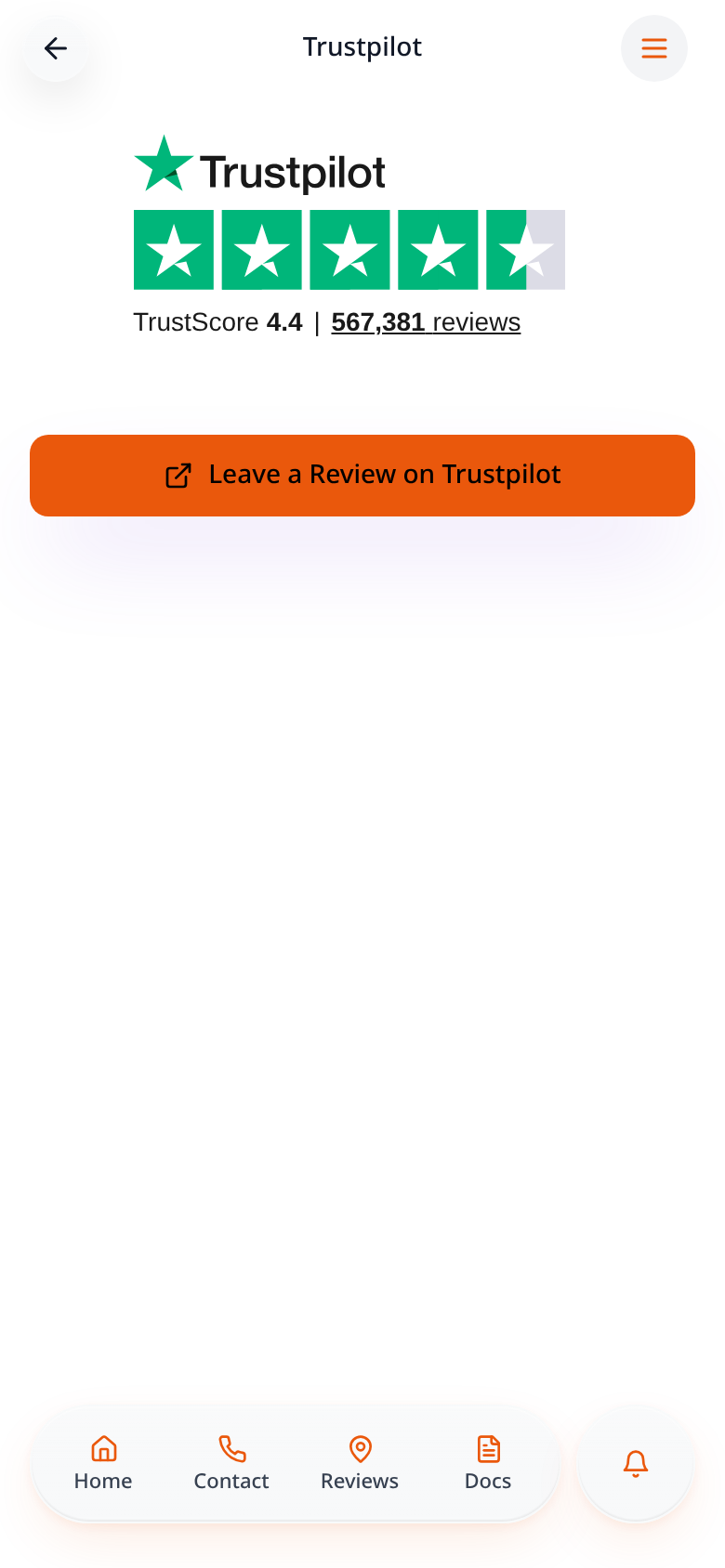
Show your TrustScore and reviews from Trustpilot, with a button for customers to leave a review.
Step-by-step guide
Follow these steps, then download the PDF to keep.
- 1
Open Pages
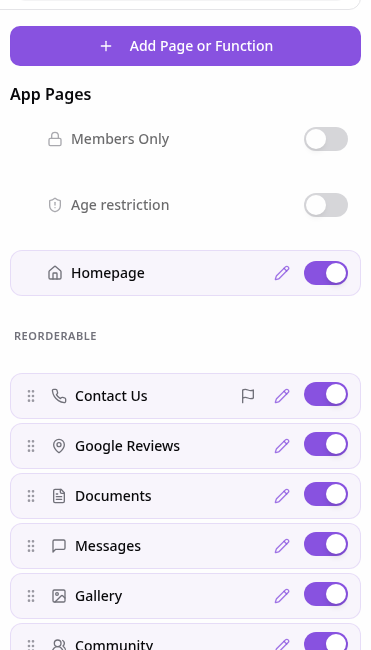
In your app editor, open Pages and tap Add Page or Function.
- 2
Choose Trustpilot
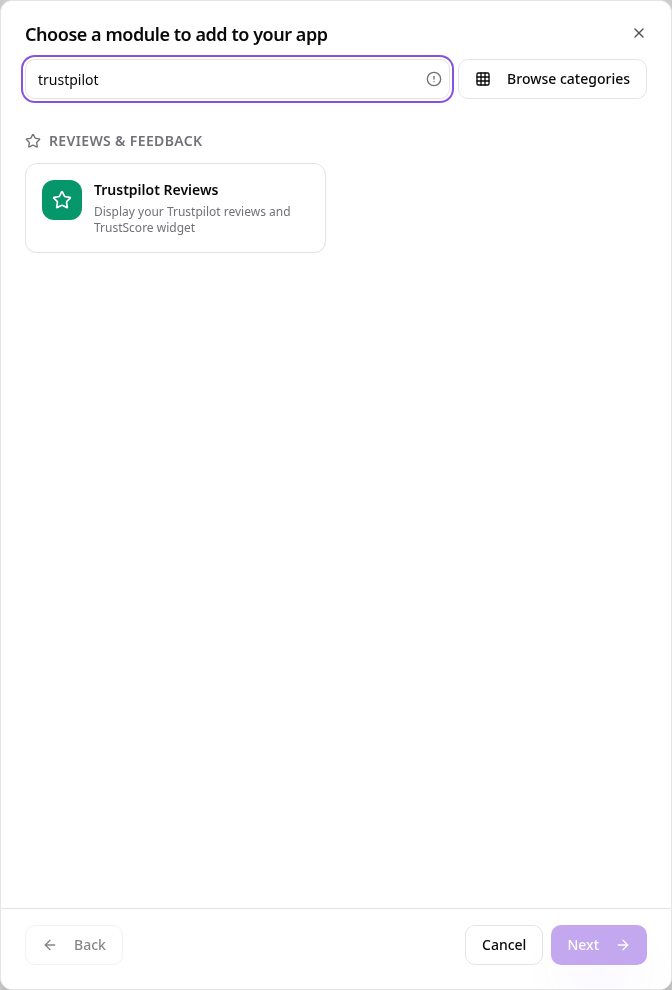
Search “trustpilot” and tap Trustpilot Reviews.
- 3
Add your business details
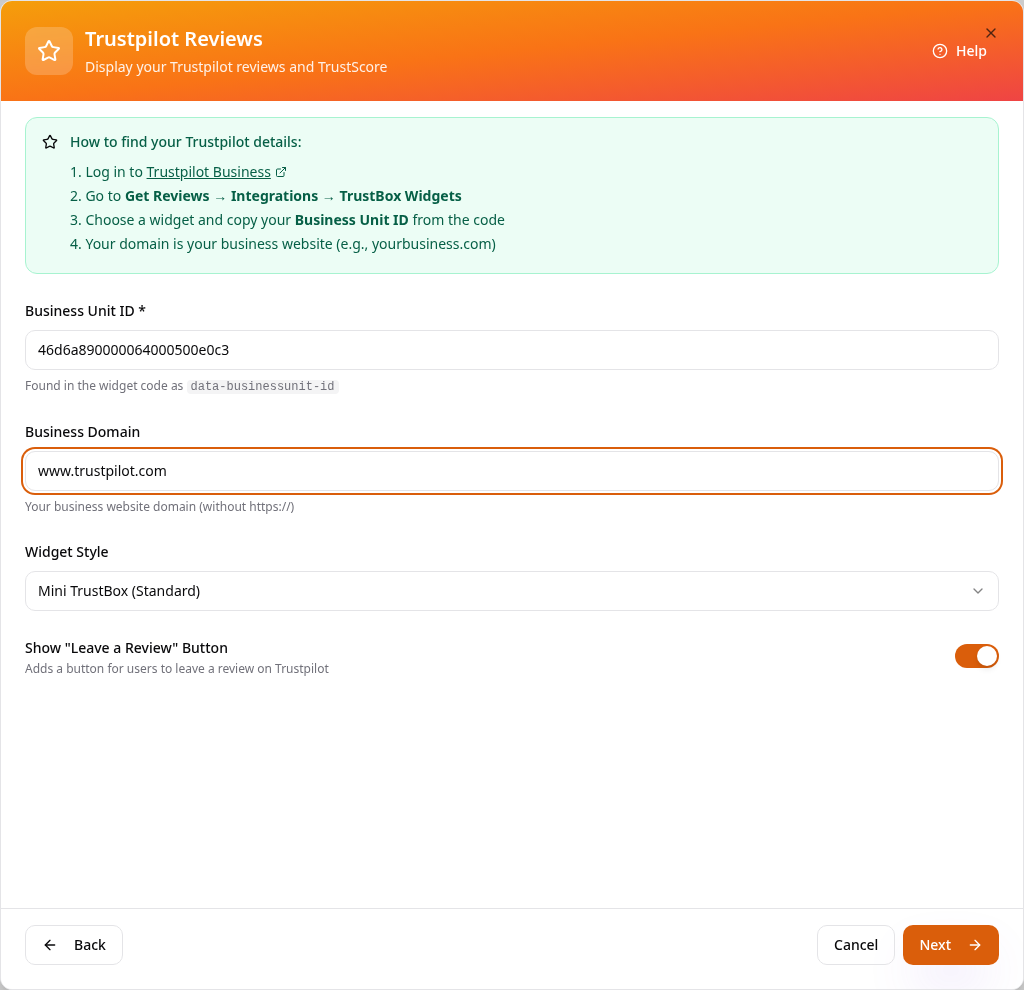
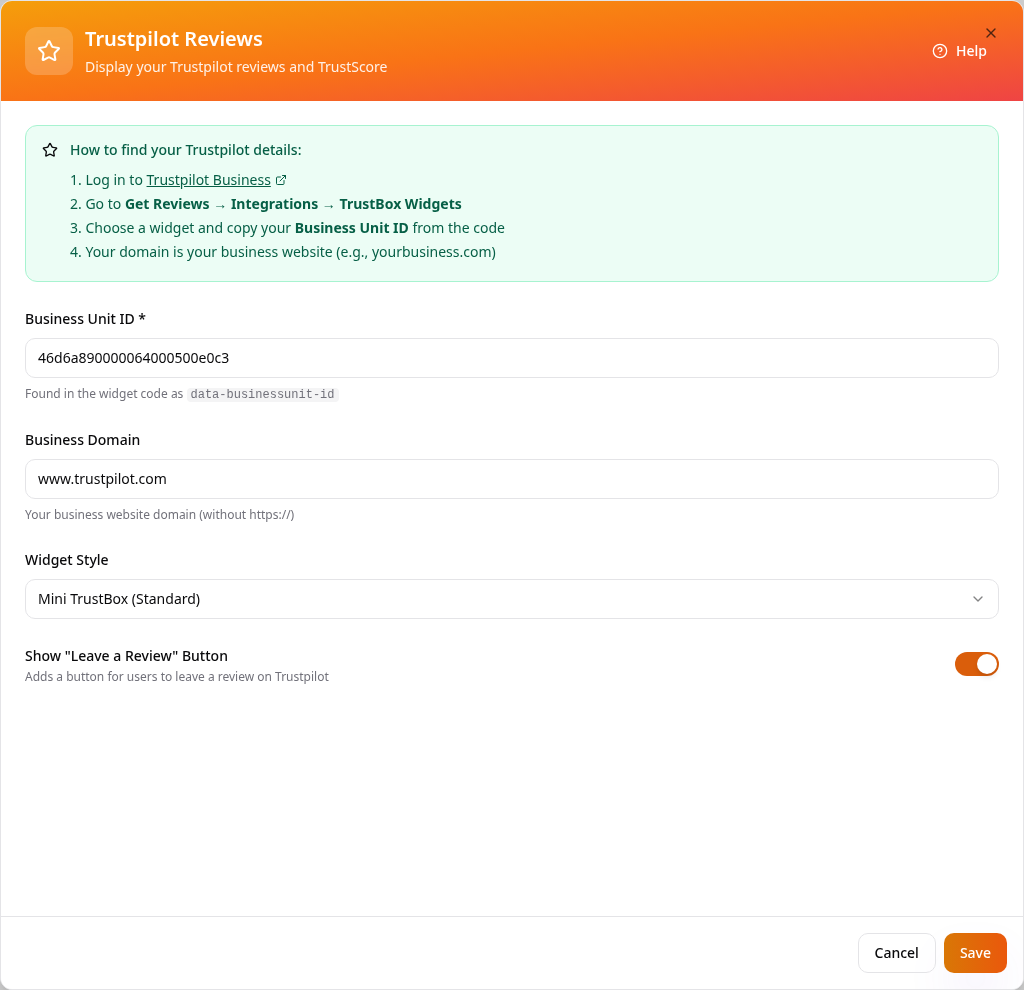
Enter your Business Unit ID from Trustpilot Business and your website domain, pick a widget style and keep Leave a Review on if you want it.
- 4
Name the page
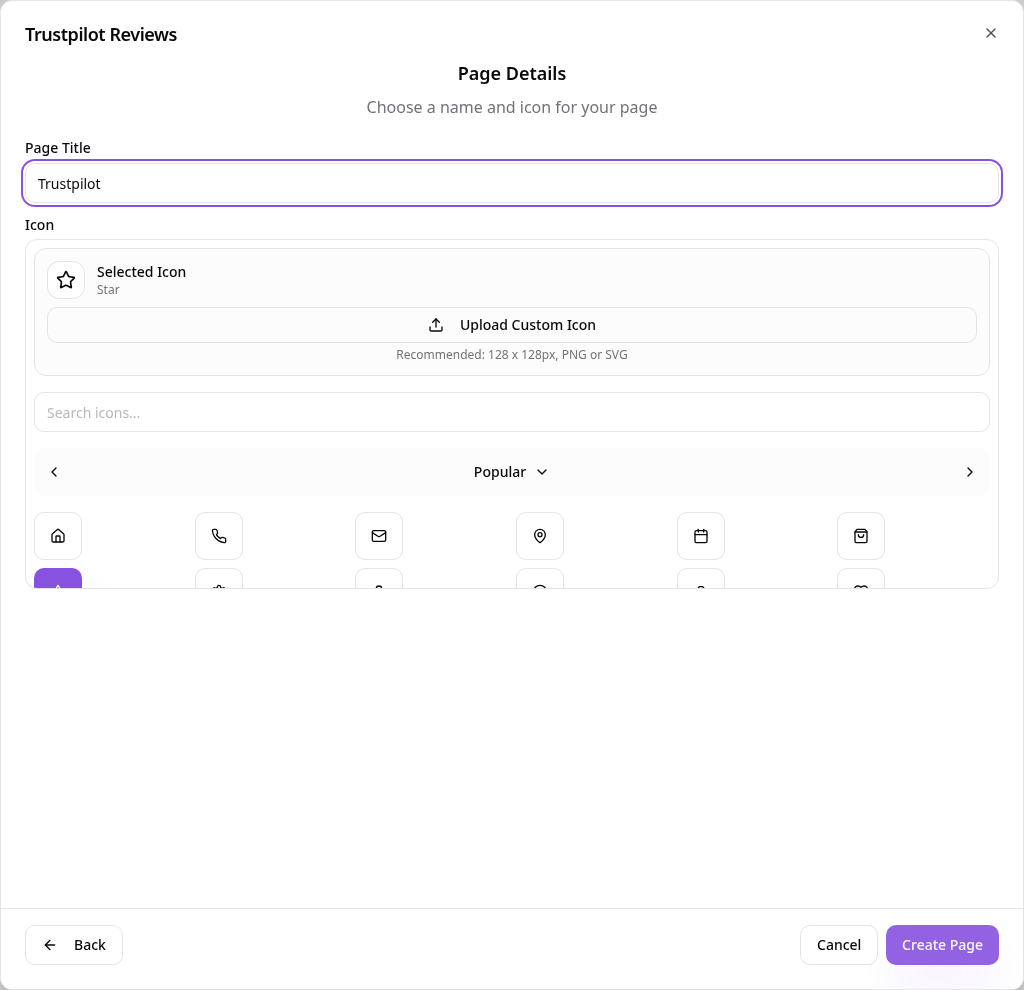
Tap Next, choose a page title and icon, then tap Create Page.
- 5
Change it later
Select the page in Pages and choose Edit Page Content to update your details or widget, then tap Save.
- 6
See it in your app
Customers see your Trustpilot widget and can tap to leave a review.
Reviews stay on Trustpilot — change your widget or details any time from Edit Page Content.